Landing Page Builder

Create an Event Landing Page

Fill your event. Build webinar, conference, workshop, and product launch landing pages that convert attendees into registered participants.

No credit card required · 14-day free trial

Examples

Event landing pages built with one prompt

High-converting event landing pages that drive registrations:

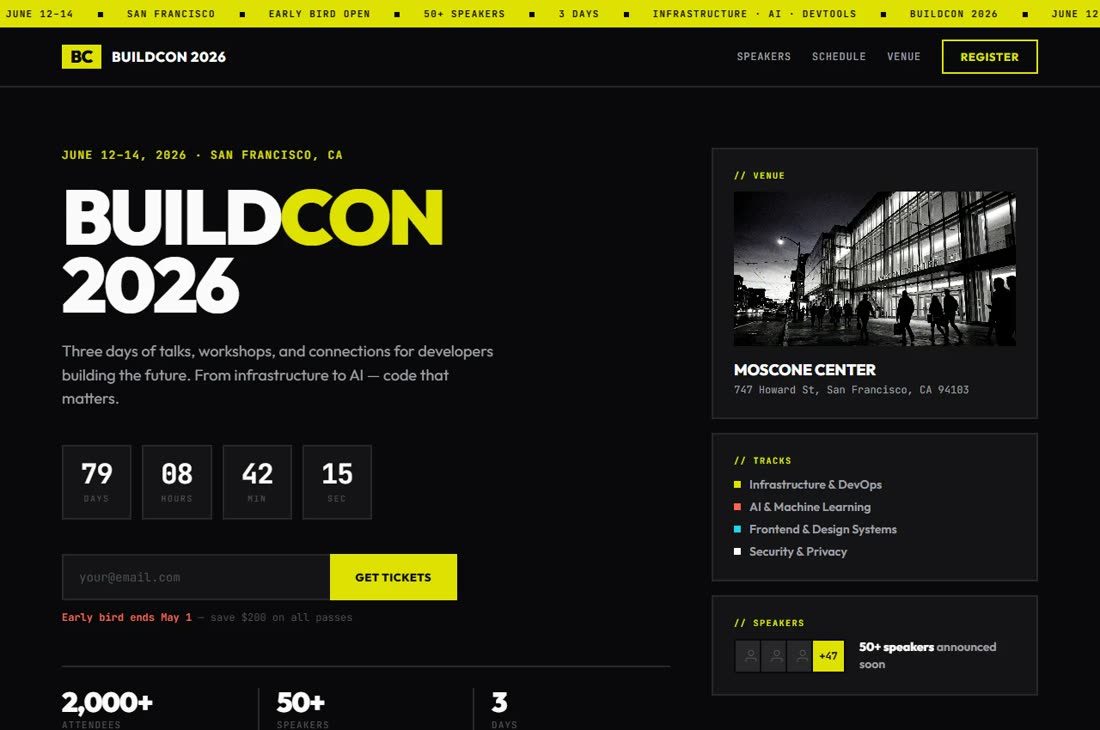
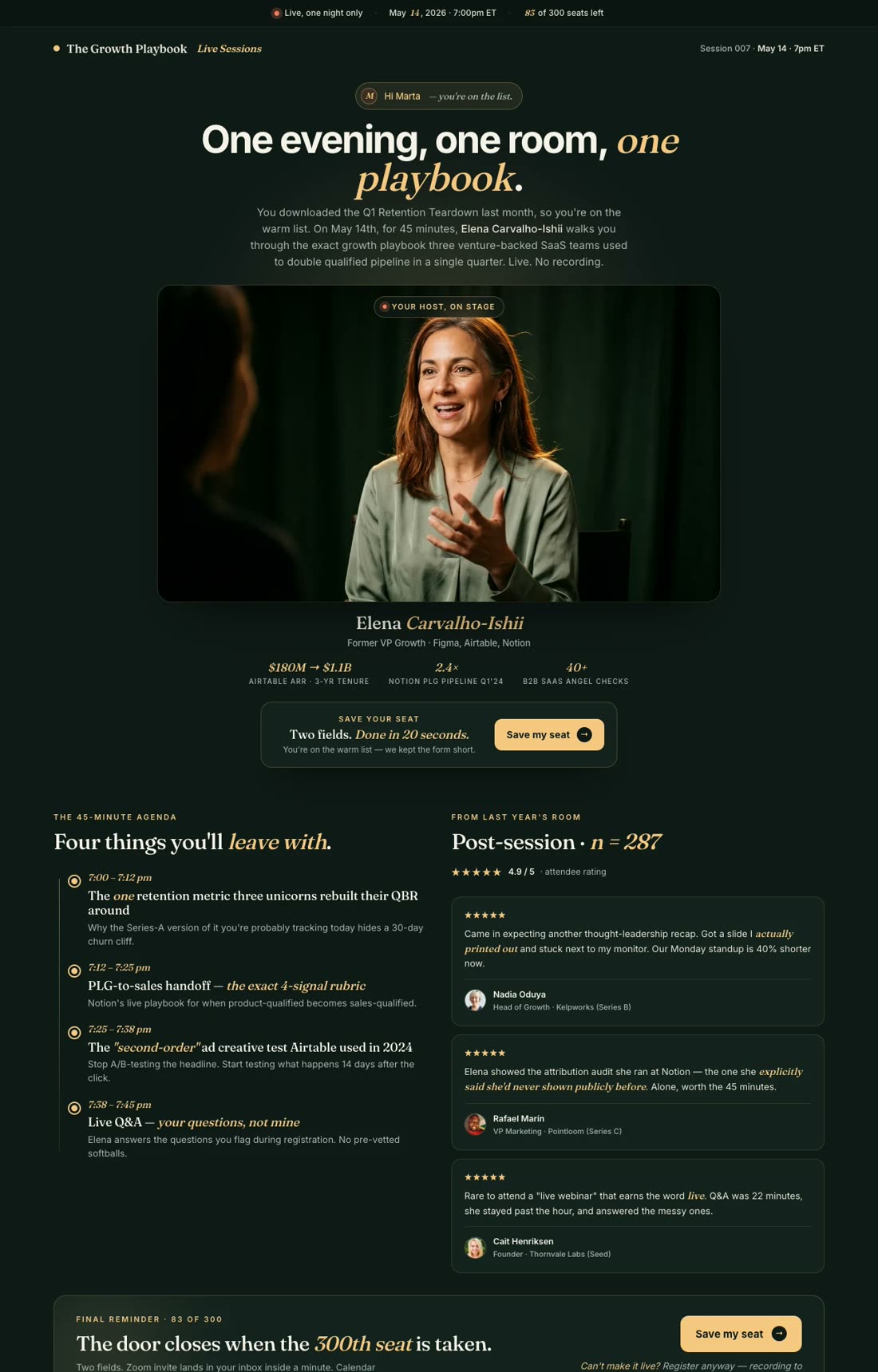
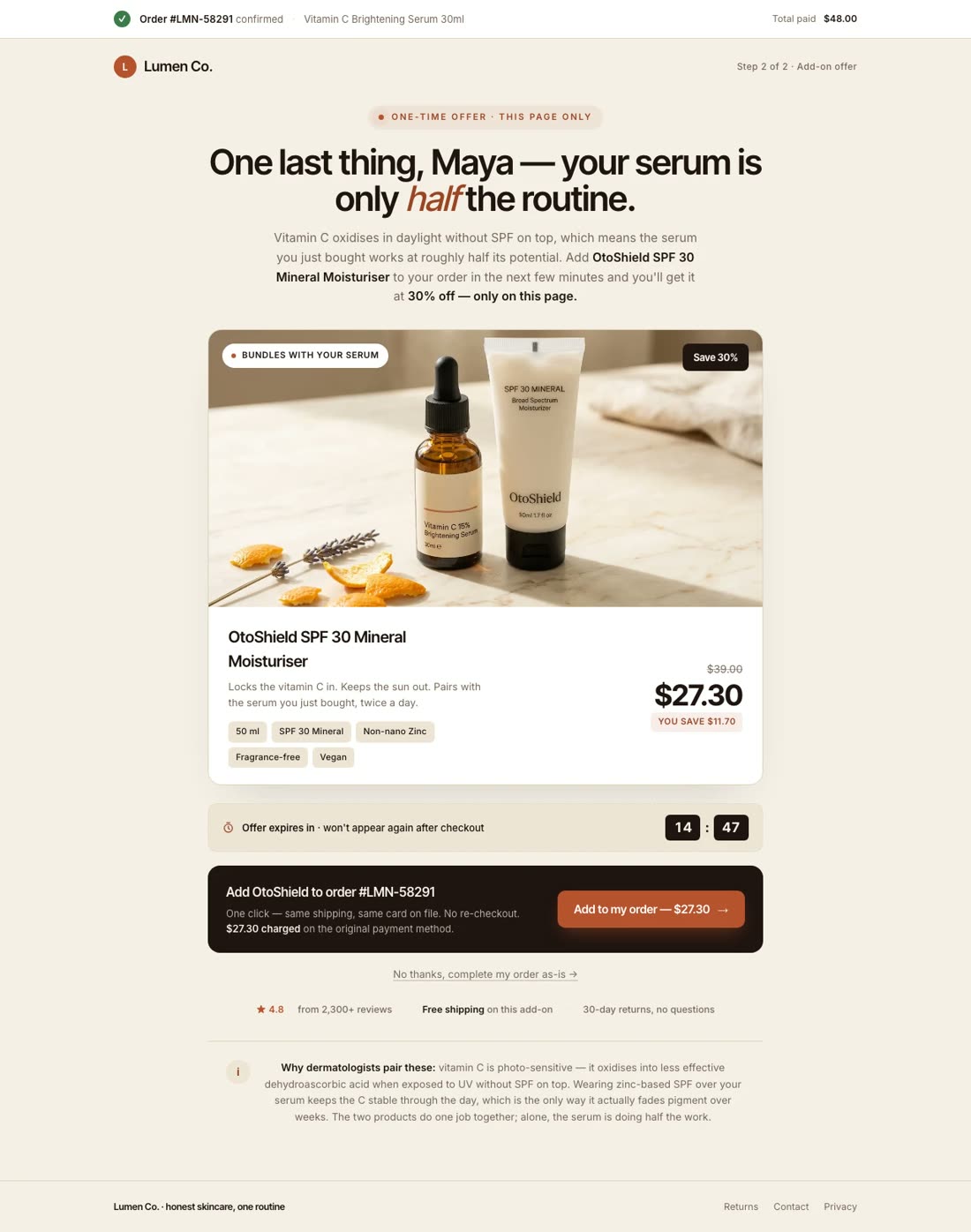
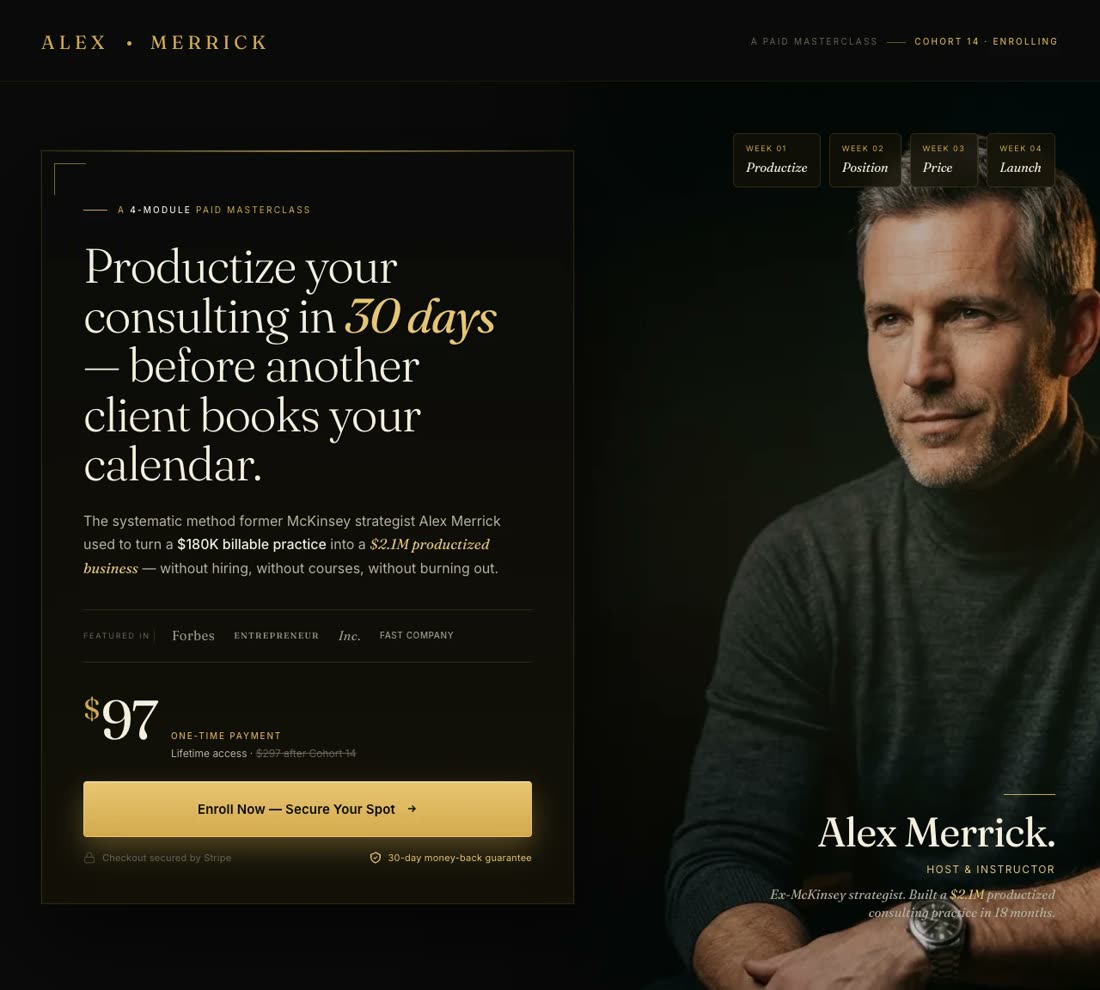
Webinar Registration

"Create a webinar registration page for \"How to Plan a Sold-Out Virtual Conference.\" Professional, event-focused..."

Webinar Registration

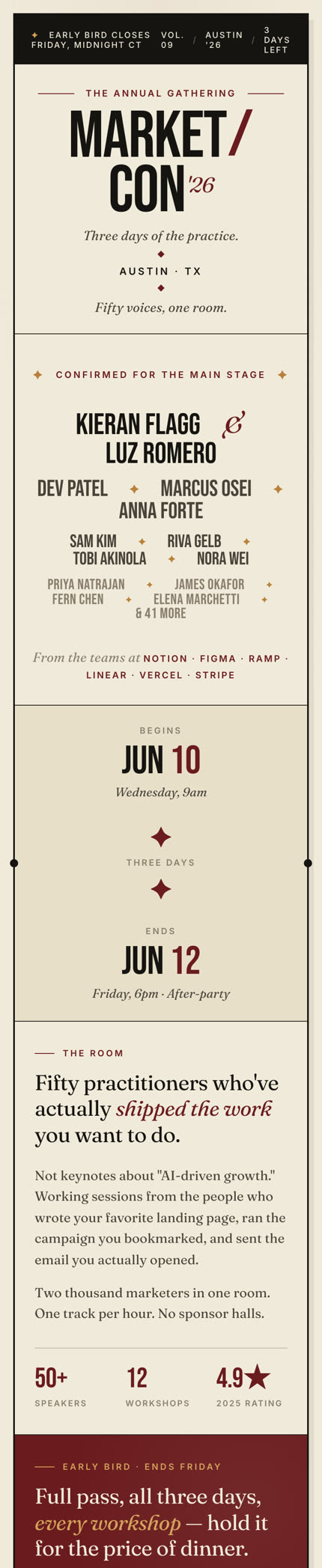
Conference Early Bird

"Landing page for \"MarketCon 2026\" - annual marketing conference. Early Bird: 50% Off with countdown timer..."

Marketing Summit Early Bird

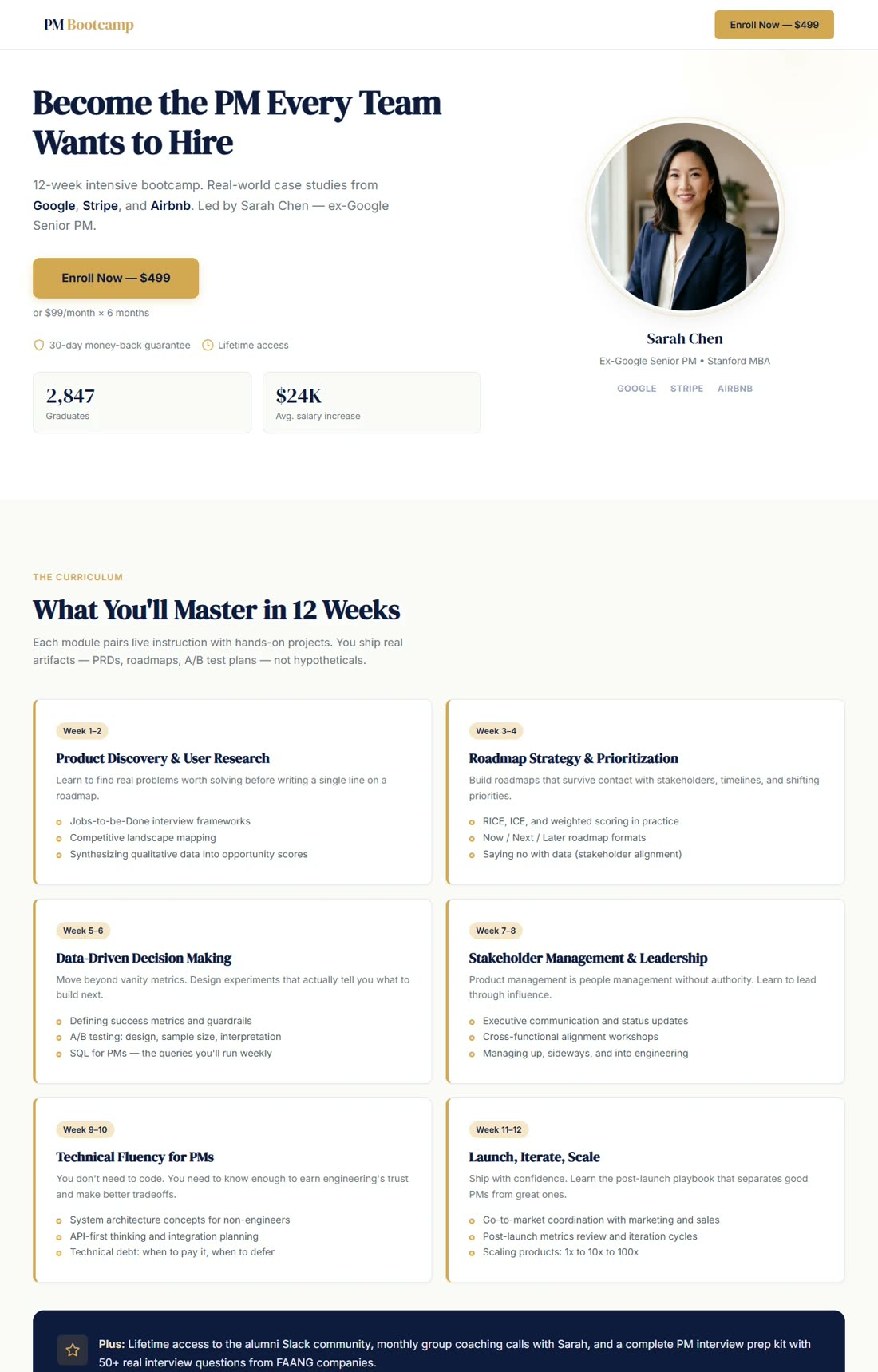
Workshop / Masterclass

"Landing page for an online masterclass: \"The Complete Guide to Landing Page Psychology.\" Limited 50 seats..."

Landing Page Psychology Masterclass

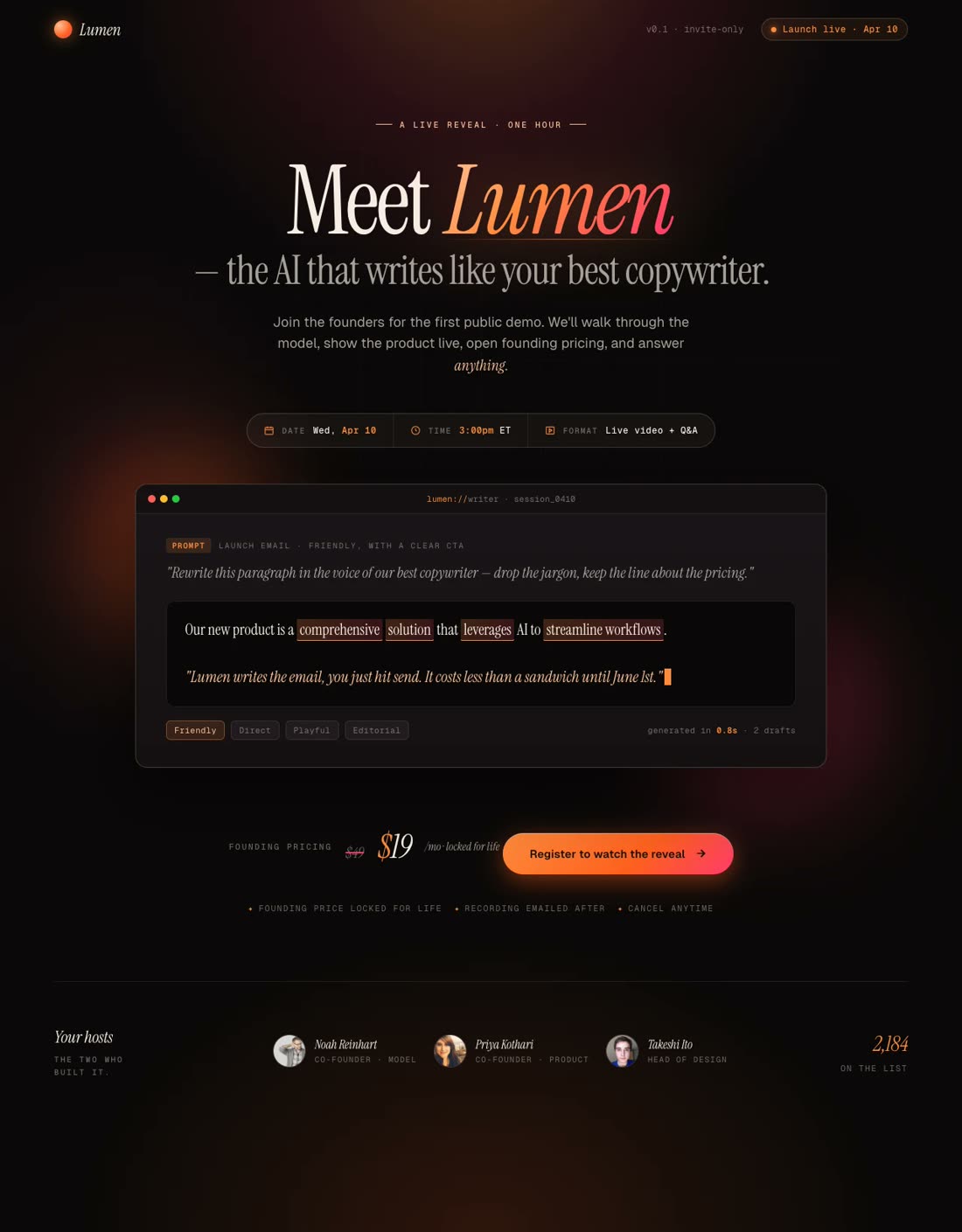
Product Launch Event

"Virtual product launch event page. Product: new AI writing assistant. Hero: product demo video, launch pricing..."

AI Product Launch

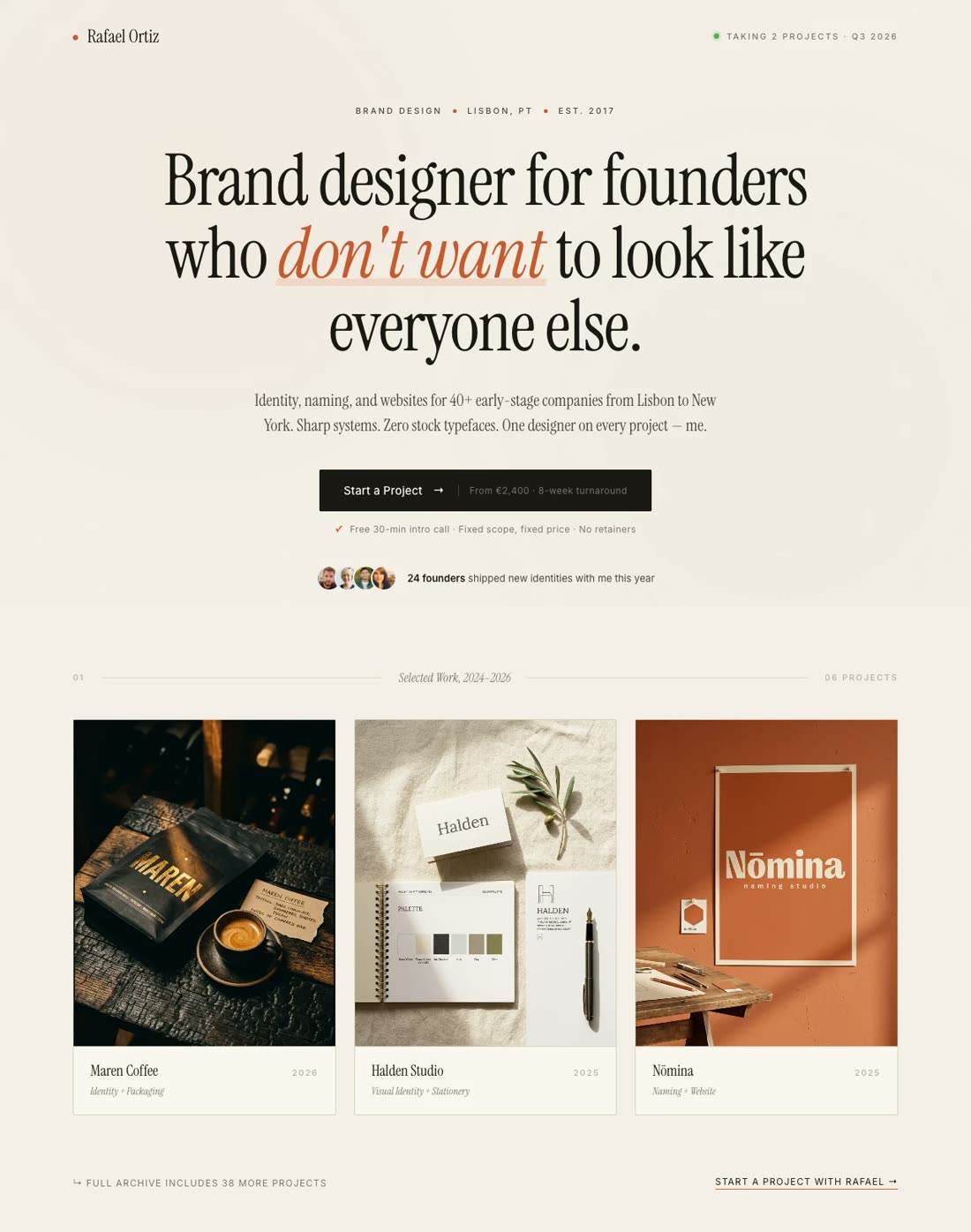
Networking Meetup

"Local networking event: \"Austin Tech Leaders Monthly Meetup.\" WeWork downtown, free (limited spots)..."

Tech Leaders Networking

Virtual Fundraiser

"Virtual charity gala benefiting environmental nonprofits. Date: May 5, 7 PM ET. Hero: \"An Evening for Impact.\"..."

Charity Gala Fundraiser

Trade Show / Expo

"B2B trade show: 'SaaS Expo 2026' — 3 days, 200+ vendors, San Francisco Convention Center. Exhibitors, speakers, floor plan..."

SaaS Expo 2026

Webinar Series / Cohort

"\"Founding Fundamentals\" cohort program - 10-week program for first-time founders. Hero: \"Learn From Founders...\""

Founding Fundamentals Cohort

Build Your Event Landing Page

No Credit Card Required | Try for Free

How It Works

How to create an event landing page

01

Define Your Event Details & Goals

Specify the event type (webinar, conference, workshop, launch, local meetup), date and time, target audience, and goal (registrations, ticket sales, sponsor signups, donations).

02

Gather Event Assets & Key Details

Event name, description, speakers/hosts, topics or agenda, venue/date/time, pricing (free vs. paid, early bird, VIP tiers), speaker bios and photos, testimonials from past attendees, schedule/timeline.

03

Watch the AI Build Your Event Landing Page

The AI creates registration-optimized copy, places speaker bios and social proof strategically, includes countdown timers and urgency messaging, and structures the page to convert browsers into registrants. For webinars: emphasis on speaker credibility and topic relevance. For conferences: emphasis on variety and networking. For launches: emphasis on exclusive access and deal pricing.

04

Add Registration Form, Test & Launch

Connect your form to a registration system (Eventbrite, Zoom, Calendly, GoToWebinar). A/B test speaker order, agenda presentation, and early bird messaging. Optimize for mobile—97.4% of event professionals use mobile to register or attend. Publish live with push notifications and email reminders.

Worth reading before you build

Why events need dedicated landing pages

critical!

Event planners face a unique challenge: they need to fill seats fast, but event pages typically live buried on a company website under an "Events" tab. Buried discovery, buried conversions.

Most event landing pages don't exist. Teams send traffic to a generic "Events" page listing 5-10 upcoming events with minimal details. A visitor interested in one specific event has to scroll, click, and hunt for information. By then, they've bounced. The events industry generates $1.74 trillion annually, but most of that is built on channels—email invites, word-of-mouth, event directories—not optimized landing pages.

A dedicated event landing page converts at 12.3-12.6% on average for events, with webinar landing pages hitting 22.3%. Generic event listing pages convert at 3-5%. That's a 4-5x difference. For an event expecting 500 registrations from paid traffic, that conversion gap means 1,200 registrations—a tripling of attendance from a single change.

The structure matters. Event landing pages need specific elements. Deadline or countdown timer creates urgency—"Only 12 hours for Early Bird pricing" drives immediate registrations. Speaker credibility and bios build trust—unknown speakers require more convincing than known experts. Social proof from past attendees ("Life-changing event," "Met my co-founder here") overcomes the "what if I don't get value?" objection. Event agenda removes uncertainty about what happens.

Webinars are the clearest example. Webinar landing pages converting at 22.3% share predictable elements: (1) speaker name and bio, (2) specific agenda (what will you learn?), (3) deadline and countdown timer, (4) testimonials from past webinar attendees, (5) clear value statement ("Learn X from the expert who Y"). Add these elements and conversion rate jumps. Remove them and conversion falls below 10%.

Email open rates for events are at their highest in 2025—30.7% for event-related emails, the fifth consecutive year of growth. Email drives more event registrations than any other channel. But email only works when the landing page converts. A cold email with 8% open rate that drives to a 3% converting page generates 2 registrations per 1,000 email sends. The same email driving to a 20% converting landing page generates 13 registrations—nearly 7x more. For detailed breakdown of event landing page strategy and case studies, check out 8 Best Webinar Landing Page Examples of 2026 on the Swipe Pages blog.

Features

Everything event planners need. Nothing they don't.

Create a webinar landing page for MarketCon 2026

Any Event Type — One Prompt Away

Webinars, conferences, workshops, product launches, networking meetups, virtual galas, trade shows, cohort programs — the AI creates any event landing page aligned to your brand in minutes.

Audit Complete

Idea: Move the countdown timer above the speaker bios to lift registrations by ~14%.

Apply
Dismiss

CRO AI Agent

Analyzes your event page and identifies conversion leaks: "High bounce suggests headline-to-value mismatch" or "80% bounce before deadline—move urgency higher." Recommends fixes.

Winner
14.2%
Variant A
vs
8.5%
Variant B

A/B Testing & Analytics

Test speaker order, agenda presentation, countdown timer placement, pricing tiers, CTA copy. Track which versions drive highest registration rate. Server-side testing, built-in analytics.

99

Blazing Fast

Pages load in under 500ms on mobile and desktop. Mobile dominates event registration—every second delay costs registrations. Sub-second load keeps momentum high.

Fill your event. Any type. Any size.
Register · Early bird ends tonight
Save My Seat

Mobile-First Design

97.4% of event professionals use mobile to browse and register. Pages are optimized for mobile: full-width buttons, readable on small screens, one-handed navigation, fast on slow connections.

English → Spanish

One-Click Translation

Translate your event landing page into any language for global reach. Host a worldwide event? Create pages in 20 languages simultaneously.

Which session are you joining?
Live Webinar
Replay Only

Registration Forms & Smart Qualification

Build registration forms that collect the right info (name, email, company size, dietary restrictions) without overloading with fields. Progressive forms reduce abandonment.

SP

Integrations with Event Platforms

Eventbrite, Zoom, GoToWebinar, Calendly — registration data flows directly. No manual export/import. Automated confirmation emails and reminders.

Startup
$29
Marketer
$69
/mo

Pricing Built for Event Pros

Start at $29/mo. No per-registration fees. Host 10,000 registrations for the same price as 100. A/B testing, registrations, analytics all included.

Social Proof

Trusted by 7,000+ teams worldwide

4.8
★★★★★
G2
4.9
★★★★★
Capterra
300+ reviews
Events
★★★★★

"Being in the events space, it's very easy to setup event landing pages using Swipe Pages. Registrations increased after switching."

Shade O.

Event Organizer · G2

Webinars
★★★★★

"I've used it a couple of times to build landing pages for online events and webinars. It worked wonders for getting people to sign up."

Rajesh K.

Marketer · G2

Events
★★★★★

"Creating landing pages for events, whitepapers, webinars has never been faster. Cut our event page creation time by 75%."

Verified User

G2 Review

Seminars
★★★★★

"Creating landing pages for our clients, especially for FB ads, webinar/seminar landing pages. Perfect for event promotion."

Fagun S.

Agency Owner · G2

Speed
★★★★★

"Surprisingly simple and efficient tool. I can consistently complete an event page in 5-10 minutes."

Amandeep S.

Founder · G2

Ease of Use
★★★★★

"SwipePages makes it easy to go from idea to live event landing page in under an hour."

Bryan B.

Event Planner · G2

Performance
★★★★★

"Speed, Speed & Speed. Their servers are fast and product is very stable. Critical for event page load times."

Verified User

G2 Review

Value
★★★★★

"Should be more expensive because it is definitely underpriced and it is allowing for more competition to access its benefits."

Periklis P.

Event Tech Consultant · G2

Overall
★★★★★

"I've used over 20 page builders and nothing compares. Event registration rates improved immediately."

Rick H.

Capterra

FAQ

Frequently asked questions

Your main events page serves multiple purposes: list all events, show past events, highlight company culture around events. A dedicated event landing page serves one purpose: convert a specific visitor to a specific event into a registrant.

The conversion math is clear. Event landing pages convert at 12.3-12.6% on average, with webinars hitting 22.3%. Generic event listing pages convert at 3-5%. That's a 4-5x difference. For an event expecting 500 registrations from paid traffic, a dedicated landing page means 1,500-2,000 registrations instead of 500—tripling attendance from a single change.

The reason is focus. A main events page shows 5-10 events competing for attention. A dedicated page shows one event with complete information. Deadline, speaker bios, agenda, pricing, testimonials, venue details—all focused on converting this specific event.

Mobile is critical. 97.4% of event professionals use mobile to discover and register for events. A main site's events listing is often cluttered on mobile. A dedicated landing page is mobile-optimized from the start: full-width buttons, vertical scroll, readable typography, fast load times.

Urgency and scarcity work better on dedicated pages. "Early bird pricing ends in 24 hours" is a powerful message on a dedicated page focused entirely on this event. It's noise on a page listing 10 events. Countdown timers create urgency that drives immediate action.

Social proof from past attendees ("This event changed my career," "Met my co-founder here") is more powerful on a dedicated page where it's the primary message. It's diluted on a page listing multiple events.

The best event organizers build a dedicated landing page for every event. One page per event, one clear value proposition per page, one registration CTA. This focus is what separates sold-out events from half-empty ones.

A high-converting event landing page has specific elements placed in a specific order. Here's every component that matters.

Value-driven headline above the fold. Not "Annual Marketing Conference" but "Learn the Exact Strategies Used by 100+ Top Event Planners to Sell Out Events Consistently." Specific, benefit-focused, compelling.

Countdown timer for deadline urgency. "Early bird pricing ends in: 2 days, 15 hours." Real scarcity drives immediate action. (Don't fake countdown timers—visitors see through it.)

Speaker credibility with photos and bios. For webinars and talks, speaker credibility is everything. Include name, title, headshot, and 1-2 sentence bio highlighting relevant credentials or achievements. Unknown speakers need more credibility building. Known experts can have shorter bios.

Clear event details immediately visible. Date, time, duration, format (live vs. recorded), timezone, location or zoom link. No scrolling to find "when is this?" information.

Event agenda or agenda highlights. What will you learn? "Why is this valuable to me?" For webinars: bullet points per topic. For conferences: day-by-day highlights. For workshops: week-by-week curriculum. Specificity increases trust—vague agendas suggest the organizer isn't prepared.

Social proof from past attendees. Video testimonials (30 seconds each) are powerful. Quotes with photos beat anonymous reviews. "This event helped me land my next job" beats "Great event!" Include diversity—different industries, experience levels, and demographics.

Pricing clearly presented. No surprise fees at checkout. "Full price: $599. Early bird (48 hours): $299. Group discount (5+ attendees): 20% off." Transparency removes friction.

FAQ section addressing registration hesitations. "What if I can't make it live?" "Can I access recordings?" "Is there a refund policy?" "What technical setup do I need?" Every unanswered question is a lost registration.

Single, prominent CTA button. "Secure Your Seat" or "Register Now." Sticky button (follows as user scrolls). Clear pricing next to the button so the decision is simple.

Mobile optimization as mandatory. Full-width buttons, stacked content, readable fonts, sub-second load times on mobile networks.

Lead with speaker credibility, not just topic. "Webinar: Landing Page Conversion Optimization" is generic. "Join Peep Laja, author of 'Conversion Optimization,' as he reveals the exact testing framework that increased conversion rates 2.3x across 1,000+ landing pages" is specific and compelling. Known experts are your greatest asset.

Real countdown timers, real scarcity. "Early bird pricing ends tomorrow night" creates urgency. Fake perpetual countdowns ("24-hour sale!") destroy trust when visitors realize the timer resets. Use real deadlines—early bird pricing window, early registration discounts, limited seats that are actually limited.

Address logistics fully. Show the venue (with map), parking info, timezone (for virtual events), how to access (Zoom link, physical address), what to bring, accessibility accommodations, cancellation policy. Event professionals choosing between two events pick the one where logistics are crystal clear.

Social proof from similar audiences. A registrant is thinking "Is this for me? Will I get value?" Answer it with testimonials from people like them. "I'm a first-time founder and felt totally lost—this event gave me a roadmap" is more powerful than "Great event!" from an unknown person.

One primary CTA. "Register" or "Secure Your Seat." No "Watch Promo Video" button, no "Read Full Schedule" link—information is available, but the path is unmistakable.

Optimize for mobile first. 97.4% of decision-makers use mobile. Full-width buttons, vertical scrolling, readable fonts, sub-second load times. Test on a real phone—not just a browser preview.

Use video testimonials if possible. 30-second clips from past attendees, recorded on iPhone, speaking directly to the camera. "The networking alone was worth the ticket price" from a real person is more powerful than a written quote.

Test speaker order and pricing presentation. Sometimes the most known speaker should lead (credibility). Sometimes an unknown speaker with incredible results should lead (transformation narrative). Test both. Test "Early bird $199" vs. "Save 67% on regular price ($599)."

Primary KPI: Registration rate. Percentage of visitors who register. Event benchmarks: webinars 22.3%, virtual events 12-15%, paid conferences 8-12%, free local events 5-8%. Below your category benchmark? Something is broken.

Secondary KPIs:
Registration-to-attendance conversion. How many registrants actually attend? (Not a landing page metric, but reveals landing page quality—low-quality registrations attend less.)
Bounce rate. Over 60% means headline-to-expectation mismatch. A visitor searching "free AI webinar" landing on a "$999 workshop" will bounce. Check message match.
Scroll depth. What % reach your CTA? If only 40% scroll to the registration button, something above the fold isn't compelling.
Cost per registration. (Ad spend / registrations). For paid campaigns. If higher than event ticket price, you're losing money. If lower, you're profitable.

What to A/B test (in order of impact):
1. Speaker order. Most credible speaker first (authority) vs. most transformative story first (emotion). Test both.
2. Countdown timer presence. Real countdown (early bird ending) vs. no urgency. Tests if scarcity drives registrations.
3. Pricing presentation. "Early bird: $299" vs. "Save 50% for 48 hours ($599 regular price)." Different framing, same offer.
4. Video testimonial vs. text quote. Video almost always wins for event registration.
5. CTA text and placement. "Secure Your Seat" vs. "Register Now" vs. "I'm In." Sticky vs. static button.

Essential analytics setup: Google Analytics 4 with event registration tracked as a conversion, UTM parameters on all paid traffic (utm_campaign, utm_source, utm_medium, utm_content), Email platform tracking (open rates, click rates on event email links), Attendee tracking (how many registered vs. actually attended).

Track weekly. Pick one test. Run it until you have statistical significance. Lock in the winner. Move to the next test.

Event planners face a unique constraint: events have hard deadlines. An event landing page built in one week has 4 weeks to drive registrations. An event landing page built in four weeks has zero time left to drive traffic. Speed is everything.

AI creates event pages in minutes. Describe your event (type, topic, speakers, date, goal). The AI writes registration-optimized copy, includes countdown timers and urgency messaging, places speaker bios strategically, and structures the page for mobile. Create a new event page in 15 minutes. Spending weeks on design is obsolete.

Countdown timers and urgency built in. Event pages come with countdown timer integration. No complex setup required. Set the deadline once, the timer counts down automatically. Real scarcity drives immediate registration decisions.

Mobile-first optimization for event discovery. 97.4% of event professionals use mobile. Swipe Pages pages load in under 500ms on mobile, feature full-width registration buttons, and optimize for one-handed scrolling. This alone increases registration rate by 25-40%.

A/B testing for speaker order and pricing. Test speaker order (credibility first vs. transformation story first). Test pricing framing (early bird discount vs. savings amount). Test CTA text. See which variant drives highest registration rate.

Integrations with event platforms. Eventbrite, Zoom, GoToWebinar, Calendly — registration data flows directly. No manual CSV exports. Automated confirmation emails, calendar invites, reminder sequences. No friction between registration and attendance.

CRO AI agent watches your event page. After launch, the agent analyzes performance: "High bounce rate suggests headline-to-expectation mismatch" or "80% read about speakers but don't scroll to CTA — test speaker photos higher." Recommends optimizations.

Sub-second load times increase registrations by 15-25%. Every second delay costs registrations. Swipe Pages pages load in under 500ms globally. This alone recovers conversion losses vs. generic builders.

Pricing that works for event organizers. Start at $29/mo. No per-registration fees, no per-attendee charges. Host 10,000 registrations for the same price as 100. Unlimited A/B testing, analytics, integrations.

7,000+ customers, 300+ reviews at 4.8-4.9 average, 14-day free trial. For event professionals focused on filling seats and driving registrations — not beautiful brochures — this is the platform.

Start building your event landing page

Go from event idea to live registration page in minutes. Countdown timers, speaker credibility, mobile-optimized. 14-day free trial, no credit card required.

No credit card required · Instant setup