Instapage Review 2026: Features, Pros, Cons & Verdict
Written By Swami
A full Instapage review for 2026: every plan and limit, what its AI really does, the locked-account rule at your visitor limit, user reviews and a verdict.


Written By Swami
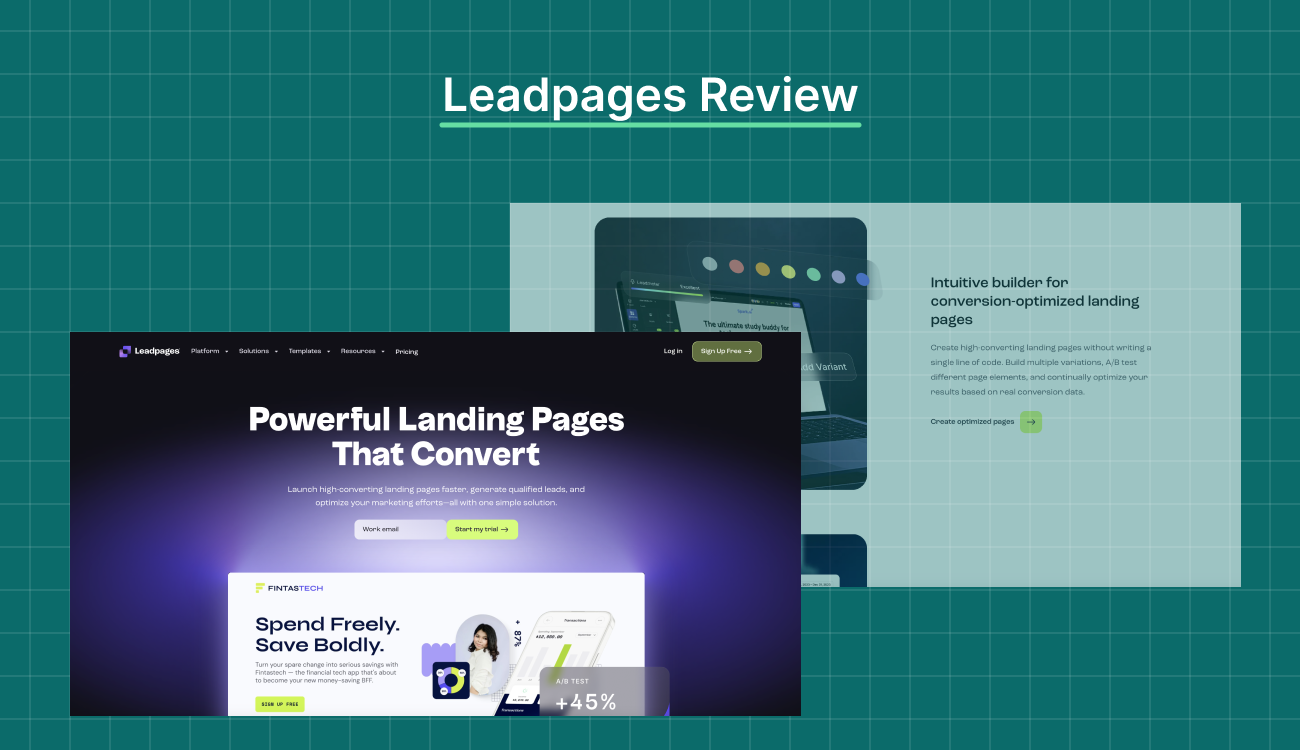
Short answer: Leadpages rebuilt its product around AI page creation, and the new version reached customers in 2026. It builds a branded page from a prompt, a URL or your voice, and every plan now includes unlimited pages and A/B testing. Its pricing page shows $50, $100 and $200 a month, but its own FAQ, homepage and help center still list $99, $199 and $399. The trial is 7 days and you'll need a card. It rates 4.3 on G2, 4.5 on Capterra and 2.2 on Trustpilot.
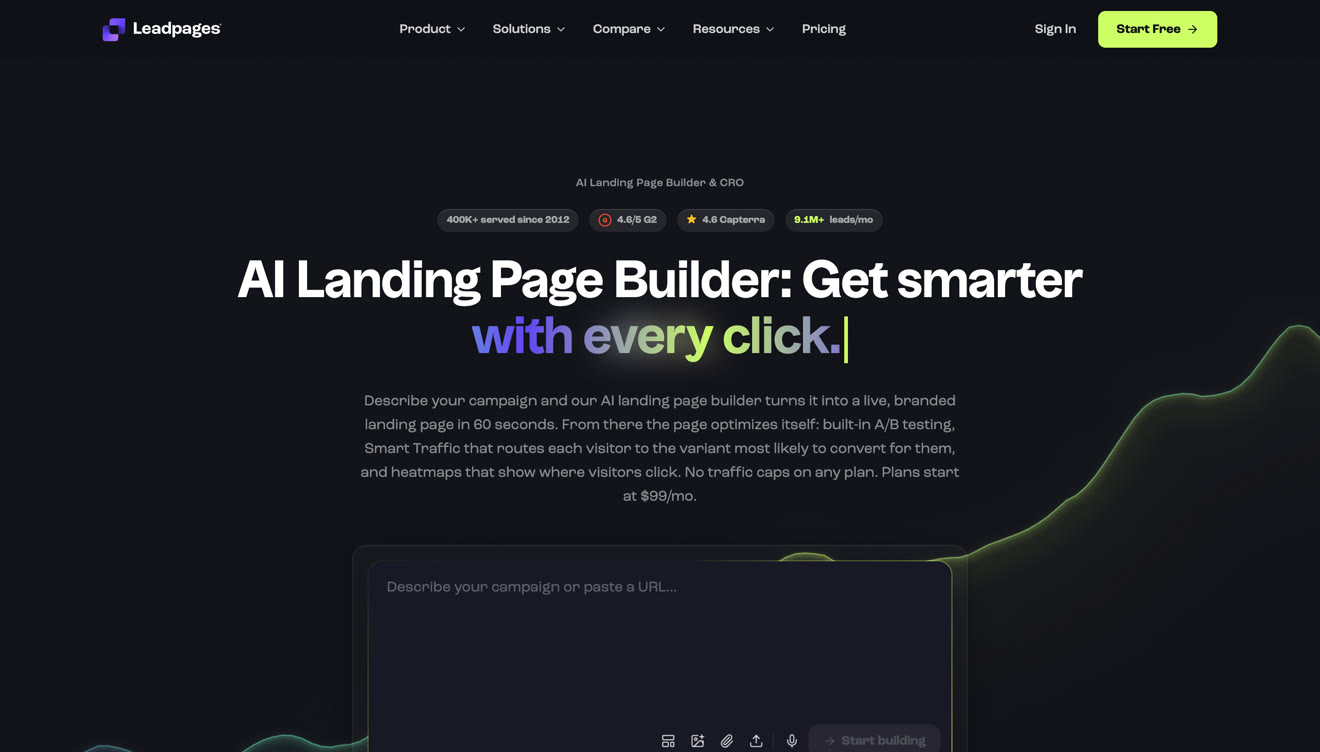
Leadpages has been selling landing pages since 2012, and its homepage says it has served more than 400,000 businesses and collects 9.1 million leads a month. But the product you sign up for today isn't the one most reviews describe. The plans, the prices, the trial and the builder all changed in the rebuild. A Leadpages review written in 2024 doesn't tell you much about what you'd buy now.
In this review we'll walk through what Leadpages includes in September 2026, what it actually costs, what 61 recent reviewers say about it, and how it stacks up against Swipe Pages if you're buying traffic.
We read Leadpages' own pages on September 15 and 16, 2026: the pricing page with both billing toggles, the plan comparison table, the product pages for the AI page builder, Smart Traffic, checkouts and the MCP server, the help center and the terms of service.
We didn't buy a plan. Everything we say about what's in the product comes from Leadpages' own descriptions, and everything about what it's like to live with comes from reviews. We read 61 reviews dated 2025 and 2026: 56 on Trustpilot and 5 on G2. Capterra only has 6 reviews that recent, and we read those separately. Every count below is our own tally.
| Rating source | Score | Reviews |
|---|---|---|
| G2 | 4.3 | 232 |
| Capterra | 4.5 | 302 |
| GetApp | 4.5 | 302 |
| Trustpilot | 2.2 | 441 |
| Leadpages' own badges | 4.6 on G2, 4.6 on Capterra | not shown |
Leadpages' own badges show higher scores than the review sites do today. Keep that in mind when you read a rating on any vendor's site, ours included.
Leadpages says it "rebuilt the product from the ground up", with the same team and new technology. Here's what that means in practice, all taken from its current pricing page and help center:
New plans. Grow, Optimize and Scale replace Standard, Pro and Conversion. The $697 plan is gone.
Unlimited pages on every plan. You won't hit the old 5-page entry limit on any paid Leadpages plan.
A/B testing on every plan. You used to need the mid tier for it.
A shorter trial. 7 days, and a card is taken at checkout. The terms of service still describe a 14-day trial, and Leadpages hasn't updated them yet.
AI page creation everywhere. Every plan includes it, with a monthly pool of AI credits and paid top-ups.
New gates. Smart Traffic, heatmaps and auto-personalization now start on Optimize. Team seats start on Optimize. Workspaces and audit logs are on Scale only.
A second, cheaper product. HTML Pub, sold on the same pricing page from $5 a month, publishes AI-generated pages but doesn't have A/B testing.
Existing customers keep their price, and get A/B testing, dynamic text replacement and AI page creation at no extra charge.
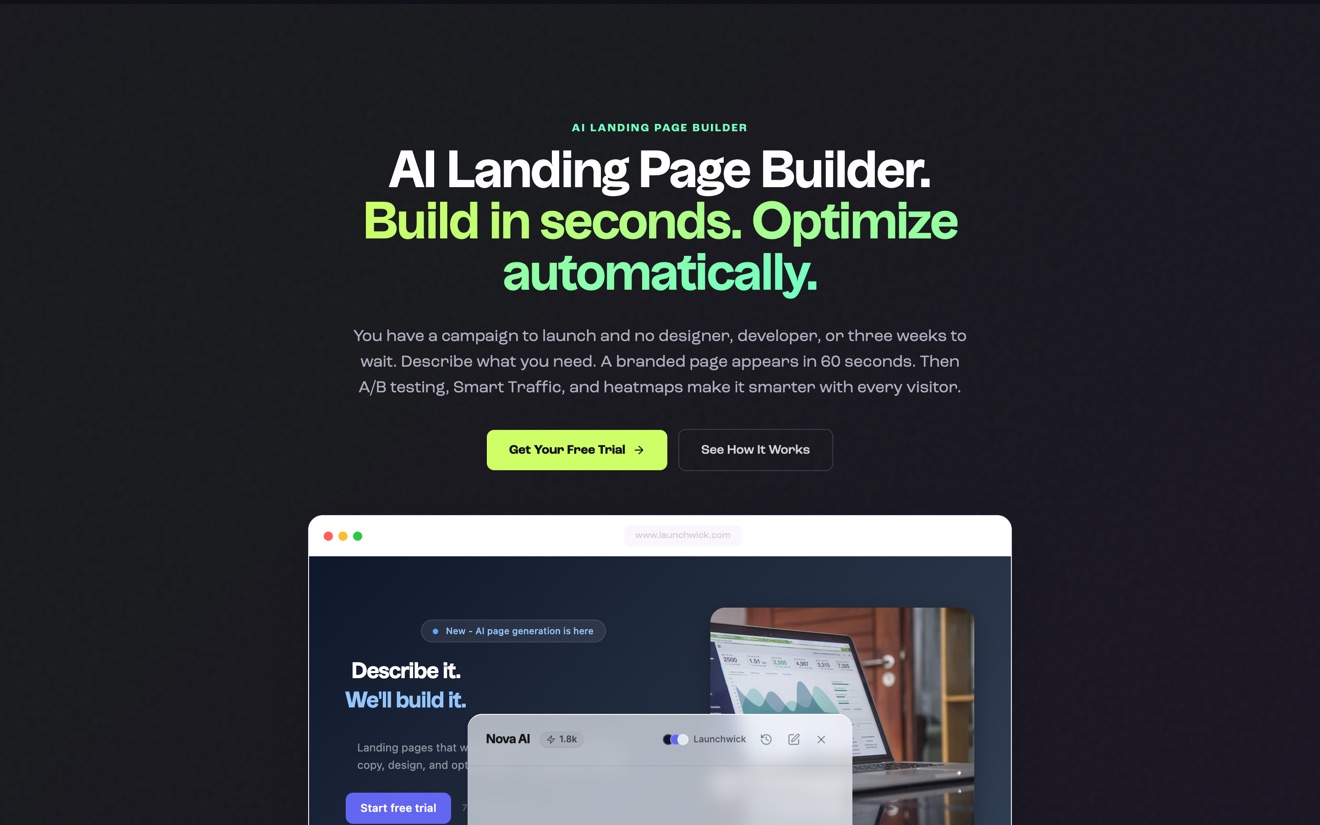
This is the center of the new product. You describe a campaign, paste a URL or just talk, and Leadpages says you'll have a branded page in about 60 seconds, with headlines, copy, images and forms in place.
Here's how editing works. You select an element on the page and ask the AI to rewrite just that element, so you don't have to regenerate the whole page. There's also batch page creation, listed on every plan, which makes a set of pages in one go.
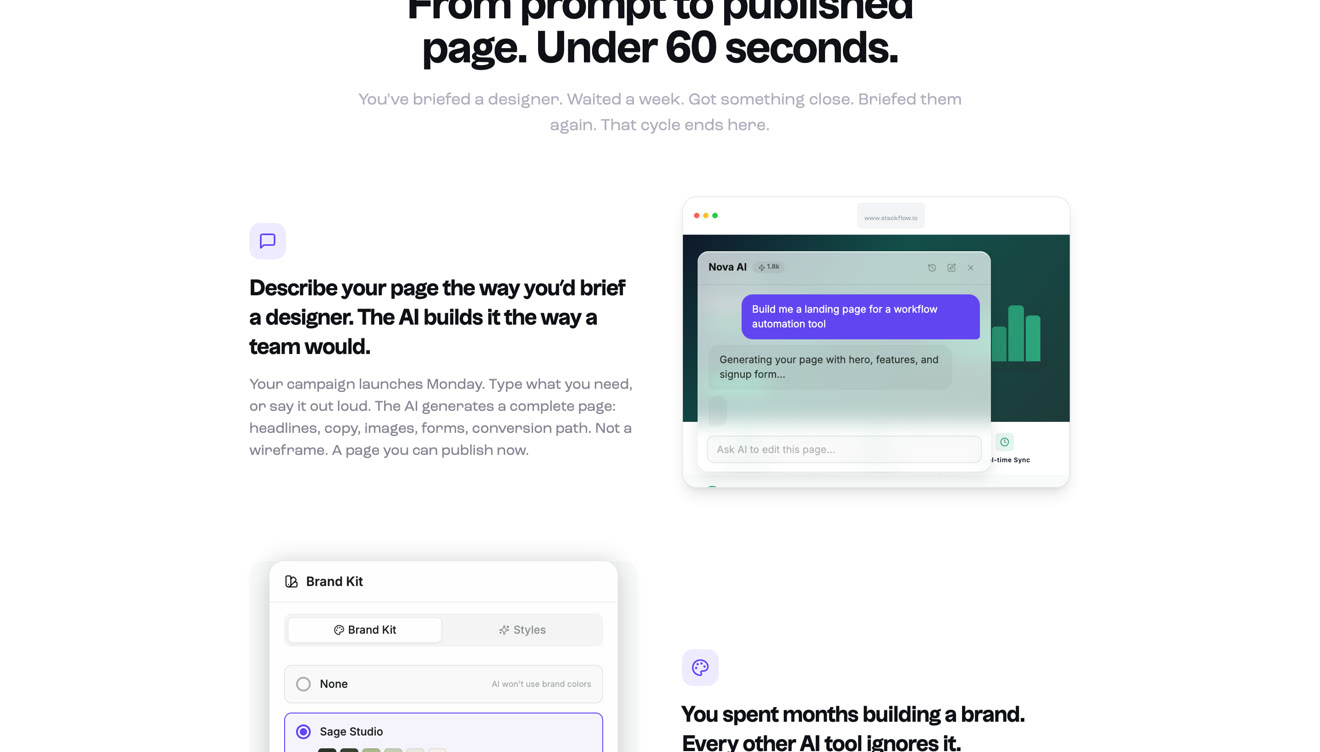
AI page creation, URL imports and AI chat all draw on the same monthly credit pool, which resets each billing cycle. Top-ups are sold separately and don't expire.
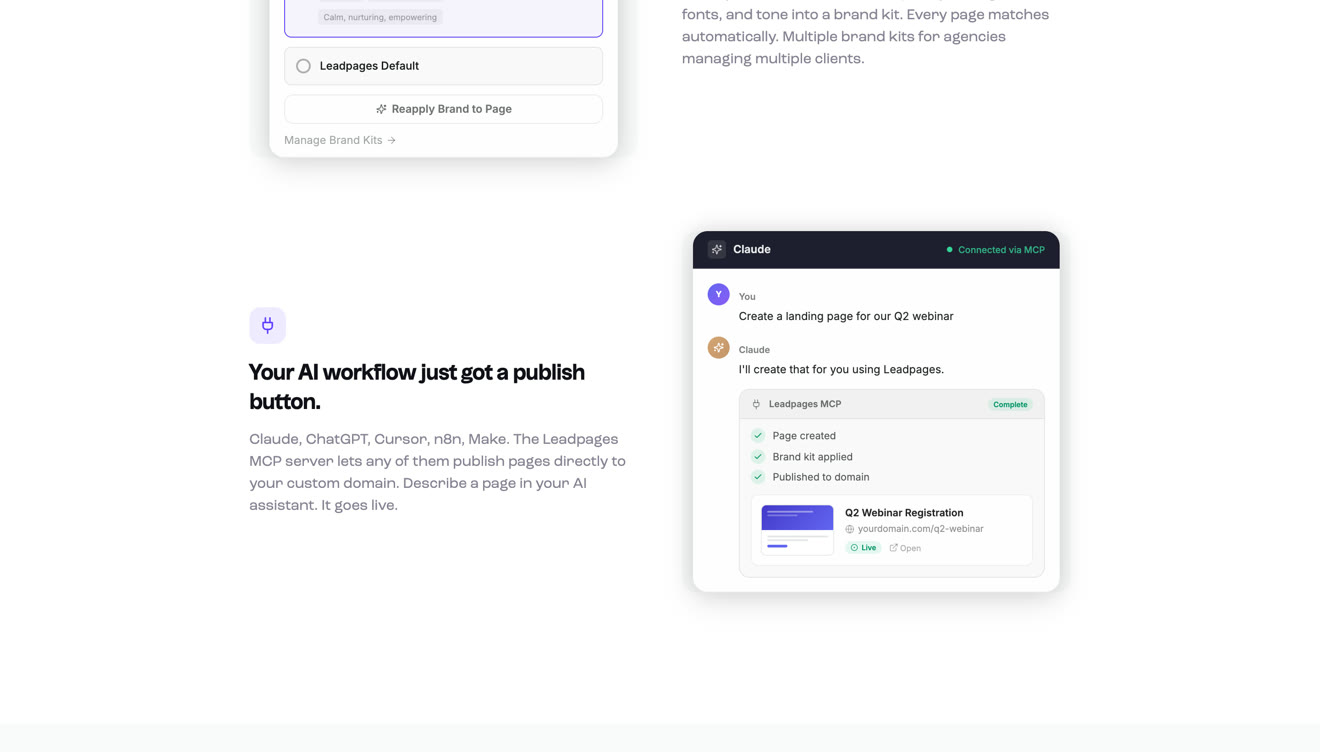
Paste your website URL and Leadpages pulls out a brand kit: your logo, colors, fonts and tone. Every page it builds after that uses it. You get a set number of brand kits by plan: 3, 5 or 10. The AI also generates images and suggests A/B test variants.
Leadpages isn't only a landing page tool anymore. Every plan includes websites and a blog, and the blog count goes up by plan, to 3, 5 or 10. Custom domains are capped too, at 4, 6 and 10, and if you're an agency that's the limit you'll hit first.
Reviewers are split on the editor. Ease of use is the thing people praise most in 2025 and 2026 reviews. But G2's own summary names templates and customization as the weak spot, and one Capterra reviewer asked for a drag and drop feature.
You get forms, pop-ups and alert bars on every plan. Forms support custom and hidden fields, which is how most people pass UTM values into a CRM. Pop-ups and alert bars are the classic Leadpages features, and you still don't need code to set them up.
Lead enrichment is now bundled in instead of sold as an add-on. You get a monthly allowance that goes up by plan, plus IP enrichment alongside it.
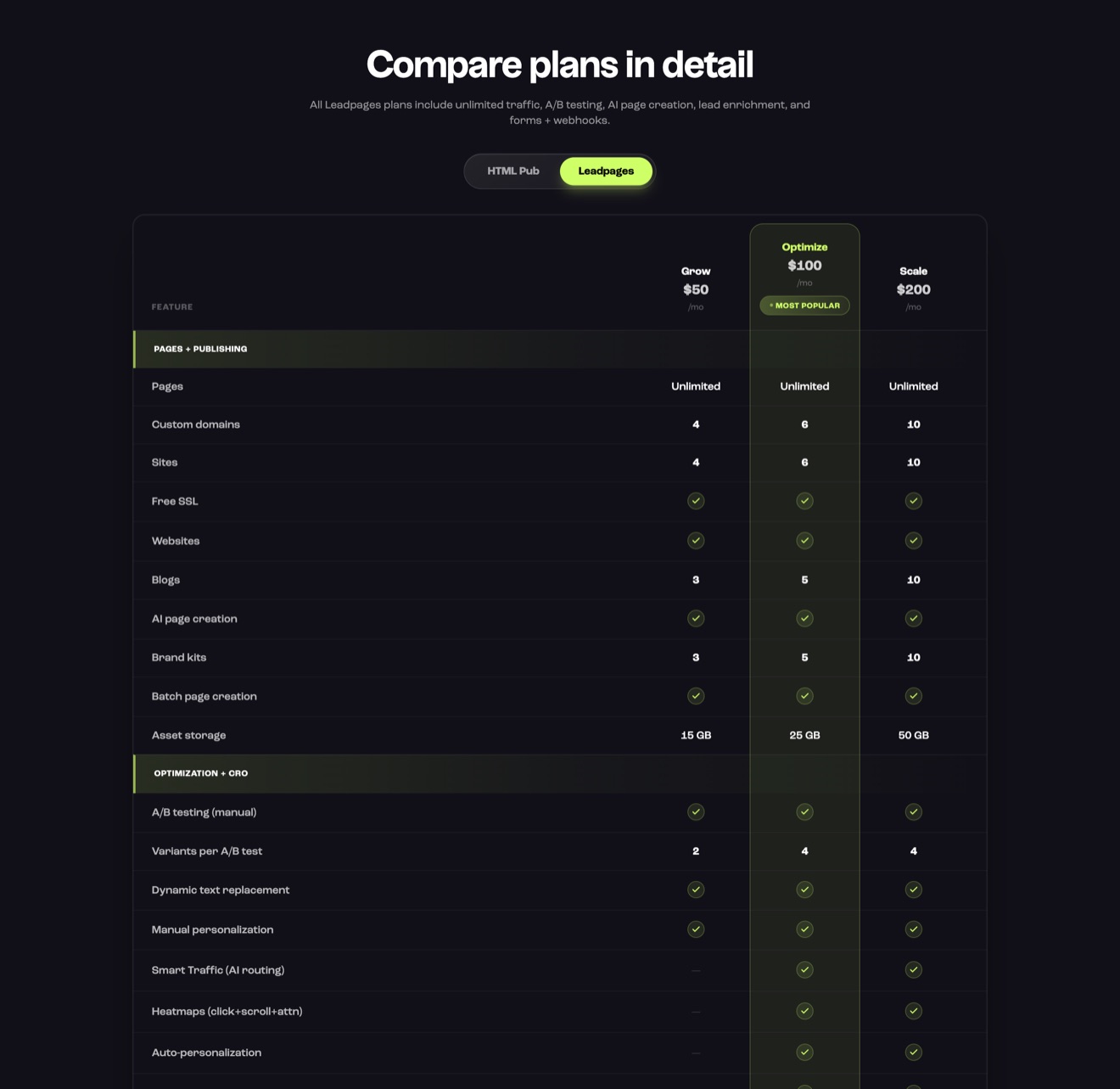
Manual A/B testing is on every plan. The pricing table lists 2 variants per test on Grow and 4 on Optimize and Scale, but the help center says up to 6, 6 and 12, so the two sources don't agree. Dynamic text replacement, which swaps page text to match the ad, is on every plan too.
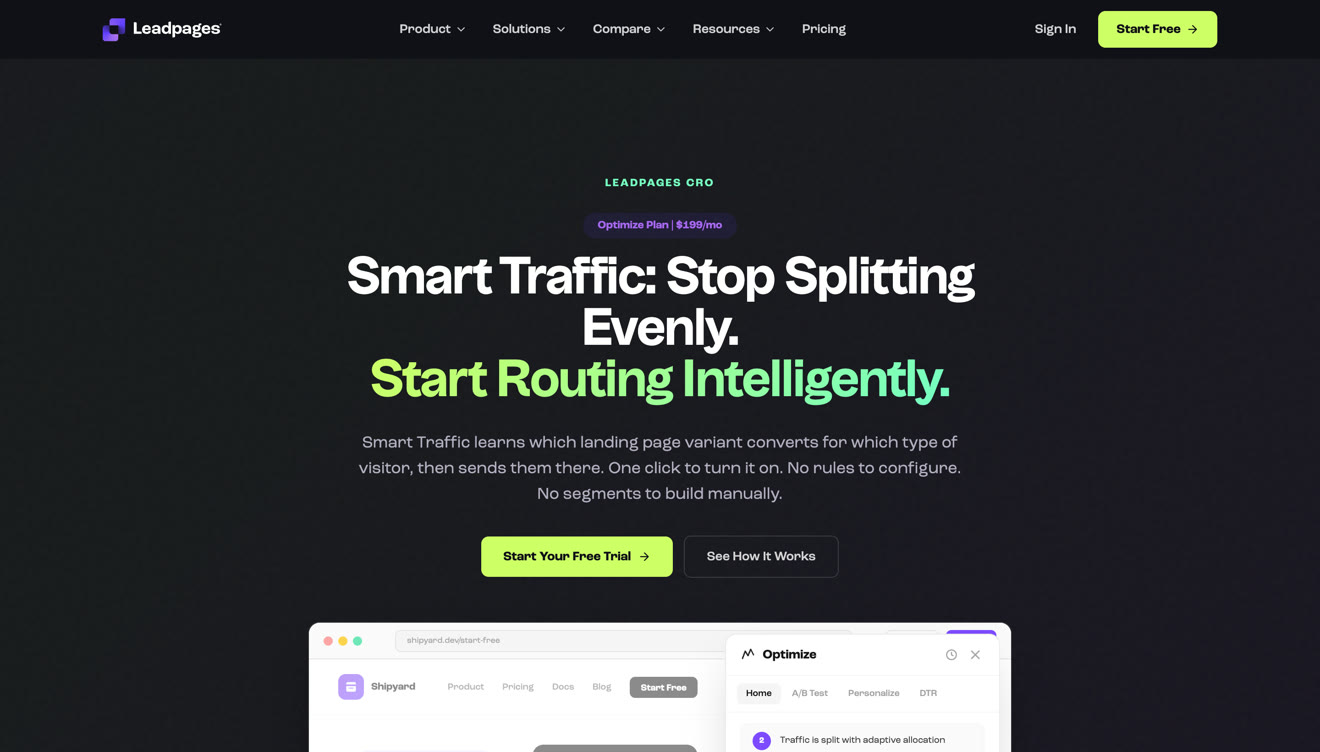
Smart Traffic sends each visitor to the variant it thinks will convert best for someone like them, and you need Optimize to get it. Leadpages publishes the thresholds: routing starts after 20 visitors in a segment, and a variant gets promoted automatically at 100 visitors per variant, 24 hours and 95% confidence. On Scale, it also comes up with new challenger variants on its own.
Heatmaps for clicks, scrolls and attention, auto-personalization, an insights dashboard and performance alerts all start on Optimize. Analytics are kept for 12, 24 or 36 months depending on the plan. On Grow you get the page and the test, but you don't get the behavior data behind them.
Checkout runs on Stripe, embedded on the page, and it handles subscriptions, payment plans and memberships. Leadpages doesn't charge anything on top of Stripe's own processing fees.
Its checkout page doesn't mention PayPal, and it doesn't mention post-purchase upsell pages either. If you sell outside the United States, or your buyers expect a local payment method, you'll feel that gap quickly.
Every plan includes an MCP server, so an AI assistant can create and edit pages, manage brand kits and assets, and handle SEO and blog content from a chat window. Leadpages lists 47 capabilities.
Leadpages' homepage claims a 1.8 second median page load, and it describes its pages as mobile-responsive.
We didn't find a mobile-specific editor, a mobile page type, or a published speed guarantee. If you buy mobile traffic, "responsive" just means the desktop page reflows to fit the screen. It doesn't mean the page was built for a phone on a slow connection, and that difference is where a lot of ad spend gets wasted.
These are the things we looked for and didn't find. For some teams, they're what decides the tool:
No AI that audits a live page. Leadpages' AI builds and edits pages. We couldn't find a Leadpages feature that takes a page you're already running, reviews it on desktop and mobile, and hands you a prioritized list of fixes.
No AI that researches your market. There's a URL import, but no page describes competitor or audience research.
No CRM. Leadpages says so itself, and sends leads to HubSpot and Salesforce instead.
No native email marketing on the current site.
No native funnel builder, in the sense of a multi-step flow with upsells after the purchase.
Leadpages names HubSpot, Salesforce, Pipedrive, Mailchimp, Klaviyo, ActiveCampaign, Google Ads, Meta Ads, TikTok Ads, LinkedIn, Shopify, Stripe and Zapier, and says 200 more are available through Paragon.
The catch is that active connections are capped: 5 on Grow, 10 on Optimize, 25 on Scale. A normal paid-traffic setup uses six tools, so you'll run out on Grow sooner than you'd expect.
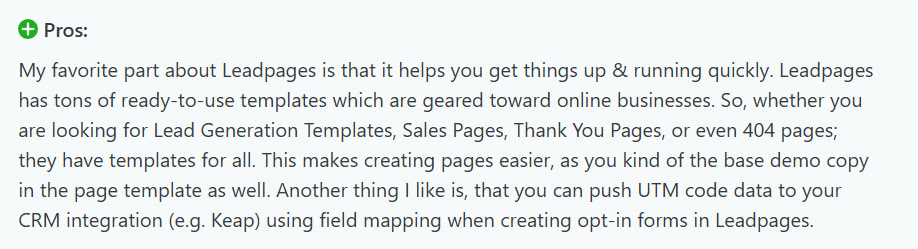
Reviewers who like the integrations talk about exactly that. They map form fields into a CRM and embed a scheduling tool on the page.

The complaints are mostly about tools that aren't natively supported. Zapier becomes the workaround, and it adds its own cost.


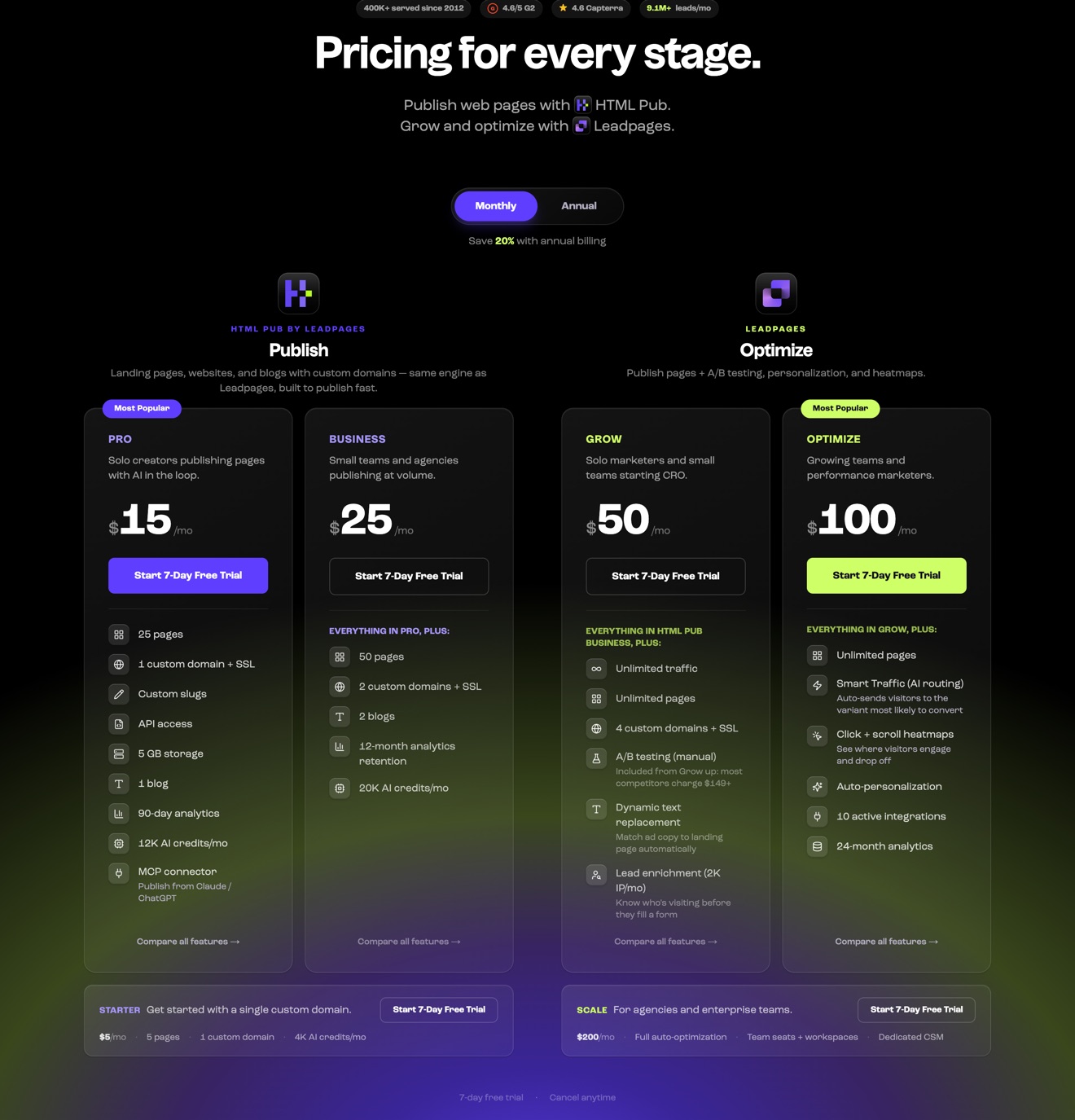
Let's look at the prices first, because Leadpages' own site doesn't agree with itself, and that affects what you'll pay.
| Where we looked | Grow | Optimize | Scale |
|---|---|---|---|
| Pricing page cards, monthly | $50/mo | $100/mo | $200/mo |
| Pricing page cards, annual | $40/mo | $80/mo | $160/mo |
| Pricing page FAQ and title | $99/mo | $199/mo | $399/mo |
| Homepage badge | Plans start at $99/mo | ||
| Help center, updated August 20, 2026 | $99/mo | $199/mo | $399/mo |
There's no promotional label on the cheaper cards, and the page's own data shows no active promotion. Either the cards are an unlabeled introductory price, or the other pages are out of date. Check the number at checkout instead of trusting either one.
Annual billing saves you 20%. HTML Pub sits on the same page at $5, $15 and $25 a month, with 5, 25 and 50 pages and no A/B testing.
| What you get | Grow | Optimize | Scale |
|---|---|---|---|
| Landing pages | Unlimited | Unlimited | Unlimited |
| Traffic | Unlimited, no overage | Unlimited | Unlimited |
| Custom domains | 4 | 6 | 10 |
| Blogs | 3 | 5 | 10 |
| Brand kits | 3 | 5 | 10 |
| Asset storage | 15 GB | 25 GB | 50 GB |
| AI page creation and batch creation | Yes | Yes | Yes |
| A/B testing | Yes | Yes | Yes |
| Smart Traffic, heatmaps, auto-personalization | No | Yes | Yes |
| Active integrations | 5 | 10 | 25 |
| Team seats | None | 3 | 10 |
| Workspaces and audit logs | No | No | Yes |
| Analytics retention | 12 months | 24 months | 36 months |
Trial and billing. The trial is 7 days and you'll hand over a card at checkout. Leadpages' pricing FAQ says you're charged on day 7 unless you cancel, but elsewhere on the same page it says your account pauses instead, so you get two different answers. The terms of service offer a 7-day money-back guarantee for new accounts. It doesn't cover renewals, and there's no prorated refund if you cancel mid-term. If you cancel a paid plan, your account drops to a free plan with a 5-page limit.
For the plan-by-plan breakdown, including what the add-ons cost, read our Leadpages pricing guide.
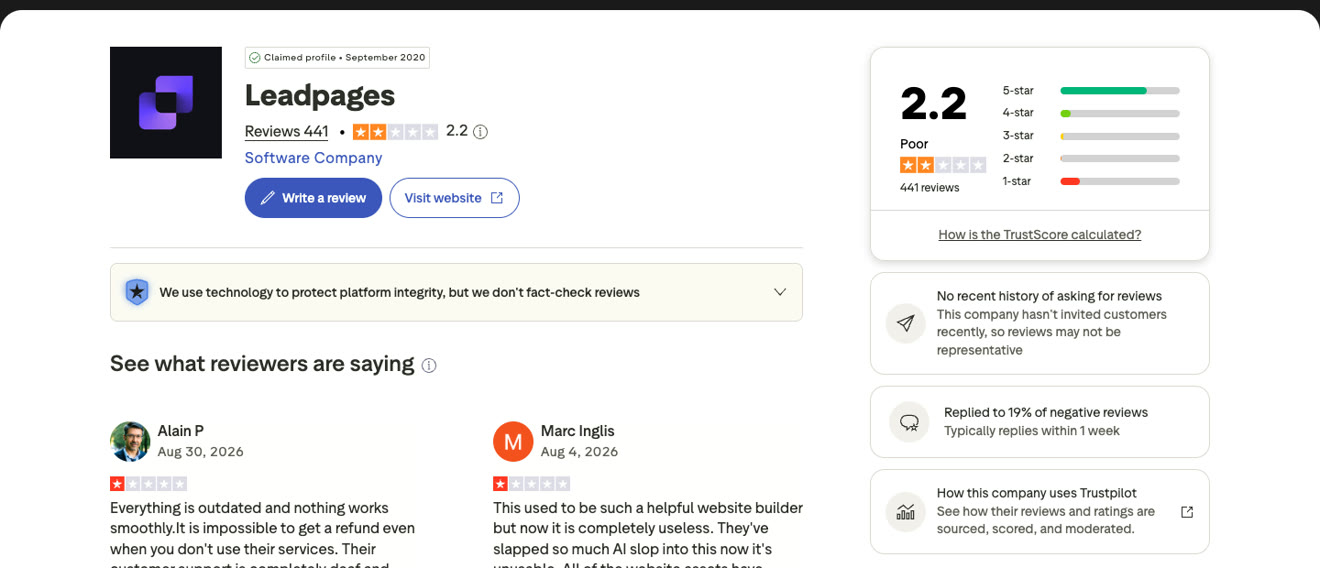
The gap between the review sites is big, so let's explain it. G2 and Capterra sit at 4.3 and 4.5. Trustpilot sits at 2.2 from 441 reviews. Trustpilot gets unprompted reviews from people who went looking for somewhere to write one, and those lean toward billing disputes. G2 and Capterra get more of their reviews through invitations, and those lean toward people who are still customers and mostly happy.
Here's what came up across the 61 reviews we read from 2025 and 2026:
Billing, in 24. Renewals people didn't expect, trials that turned into annual charges, and refunds that were refused.
Trouble canceling, in 8. No confirmation email, and no reminder before renewal.
Price rises, repeatedly. Two reviewers wrote up increases, one from $49 to $99, and one of around 300%, both with short notice.
Ease of use, in most of the praise. "Simple, intuitive, and creates landing pages that look great" is typical.
Support, praised in several 2025 reviews, and criticized in the newest ones.
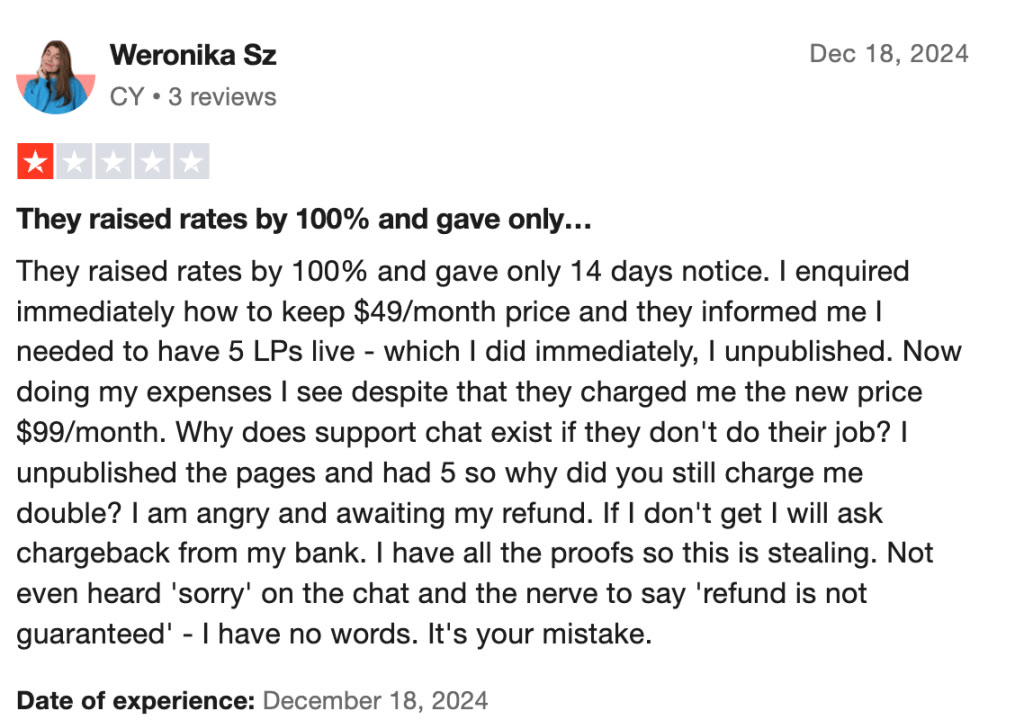
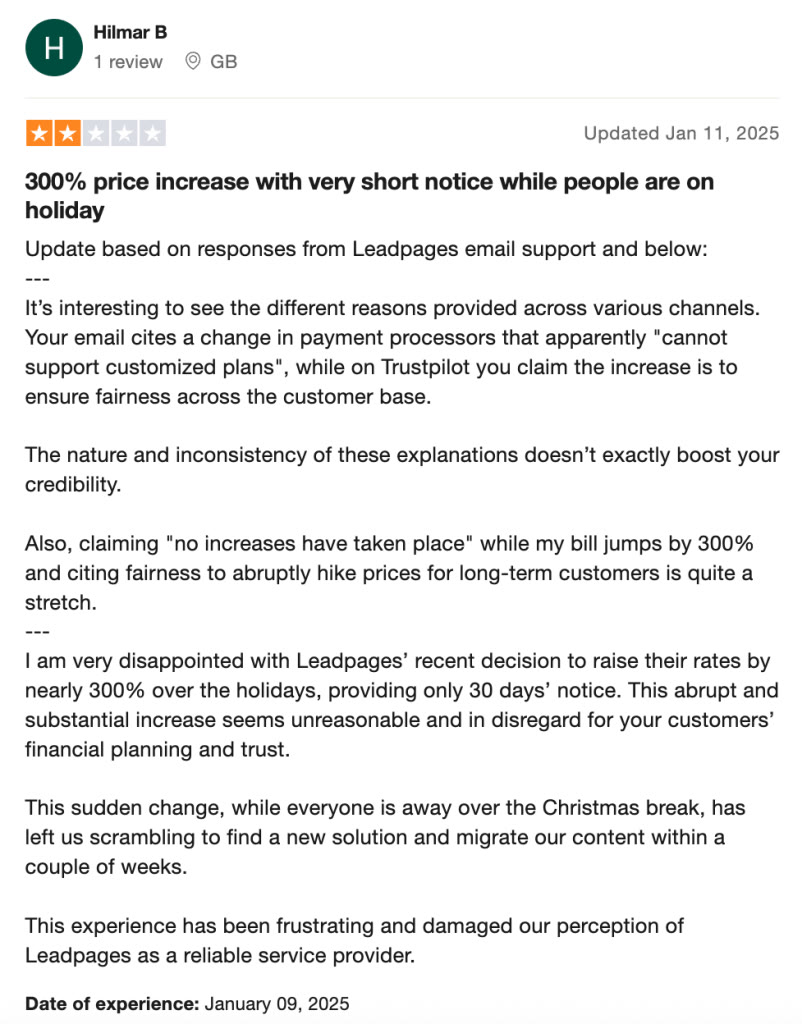
A couple more things we noticed. Every Trustpilot review dated June 2026 or later is one star, seven out of seven. Leadpages replied to reviews regularly until October 2025 and hasn't replied to any of the 21 since. Capterra, meanwhile, only has 6 Leadpages reviews from 2025 and 2026 at all, and four of them are five stars.
Almost none of these reviews clearly describe the rebuilt product. Keep that in mind when you read them. The billing complaints are about the company, so they still apply. The builder complaints may already be out of date.
| Pros | Cons |
|---|---|
| AI page creation from a prompt, a URL or your voice, on every plan | The trial is 7 days and needs a card |
| Unlimited pages and unlimited traffic, with no overage fee | Billing is the most common complaint in recent reviews |
| A/B testing and dynamic text replacement on every plan | Smart Traffic, heatmaps and personalization need the middle plan |
| Websites, blogs and forms included | Custom domains stop at 10, even on the top plan |
| Established since 2012, with support praised in many 2025 reviews | Only 5 active integrations on the entry plan, and no team seats |
| An MCP server on every plan | Stripe is the only payment option listed for checkout |
If you build a few lead pages a month and your traffic is mostly organic or email, the differences below won't matter much to you. If you buy clicks, they matter a lot, because every slow page and every untested angle costs you clicks you've already paid for.
Most landing page traffic is mobile, and mobile is where pages get slow. A page that takes an extra second to load on a phone loses conversions. On a paid campaign, page speed shows up directly in your cost per lead.
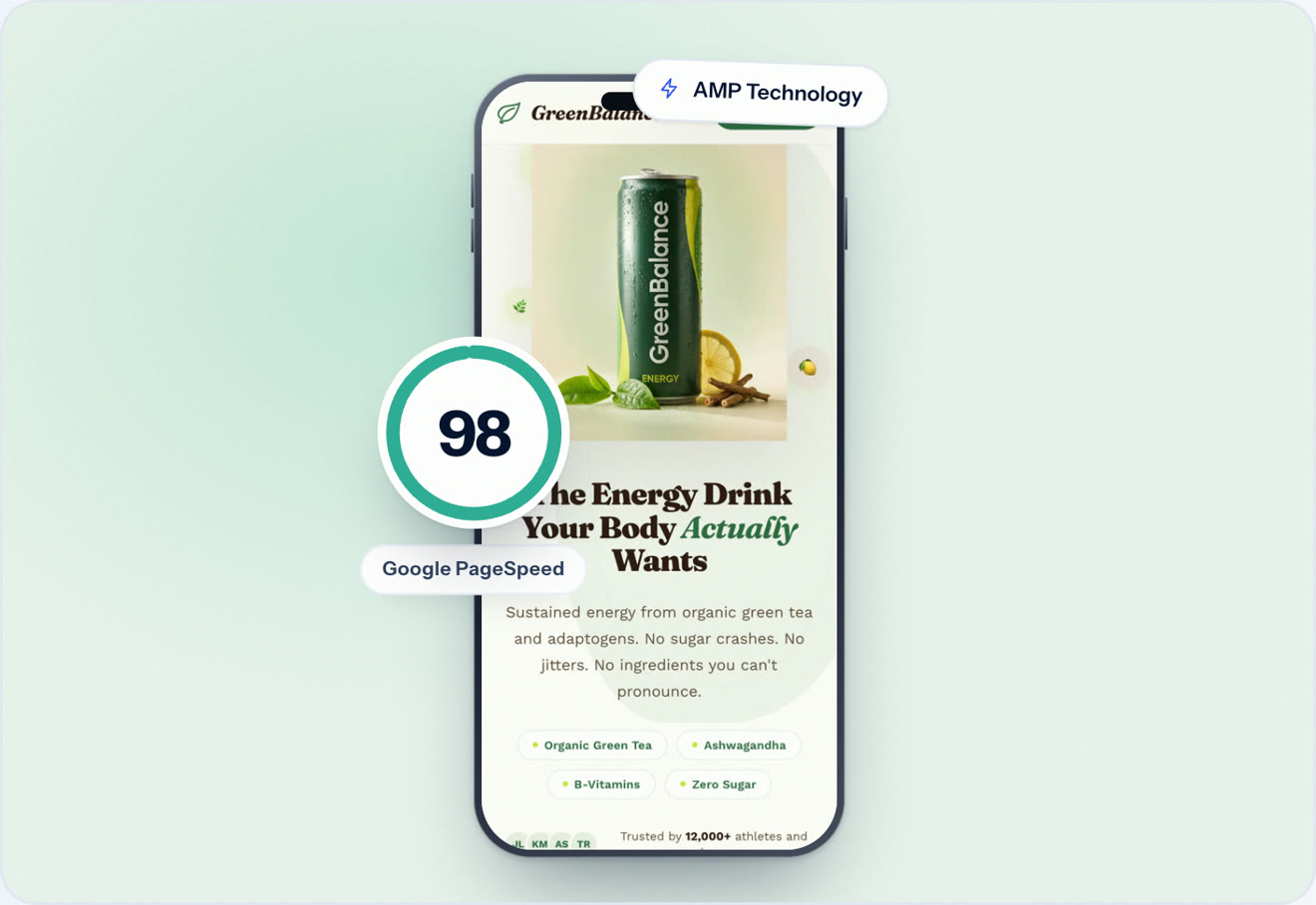
Leadpages claims a 1.8 second median load and calls its pages mobile-responsive. Swipe Pages runs 20 or more speed optimizations every time you publish, serves your pages from a global CDN, and gives you Smart Pages, which turn a landing page into an app-like, swipeable experience for phone visitors instead of a reflowed desktop layout.
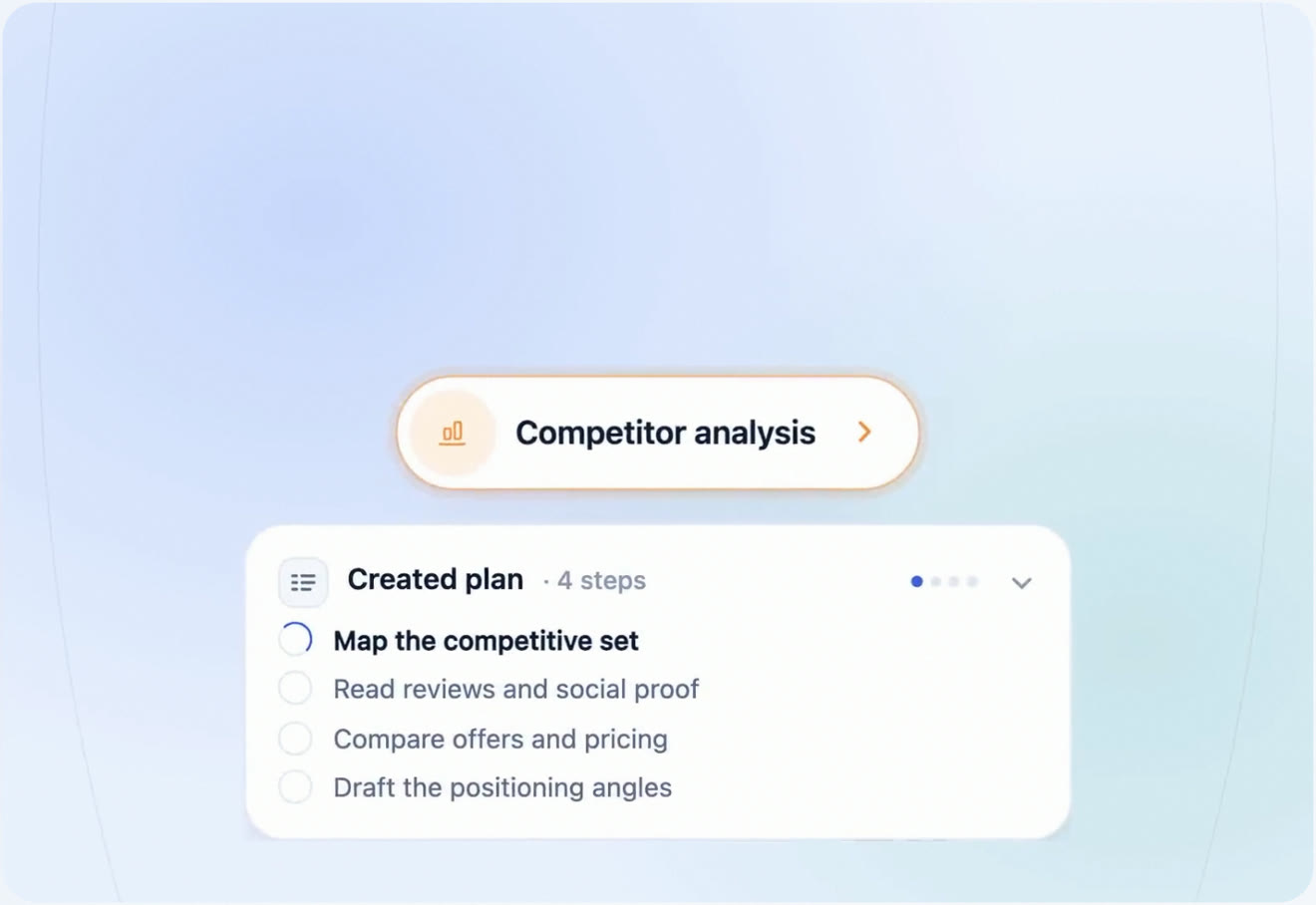
Leadpages' AI builds and edits pages. Swipe Pages gives you two agents. The AI Builder writes and edits pages, lead quizzes and checkout pages by chat. The AI Strategy agent researches your competitors, works out your offer and positioning, and audits a page that's already live on both desktop and mobile.
That audit is the part we couldn't find a Leadpages equivalent for. It comes back as a prioritized report. You then hand the report to the AI Builder to make the changes, or to set up a split test on the Marketer and Agency plans.
| Leadpages | Swipe Pages | |
|---|---|---|
| Entry price | $50/mo on the cards, $99/mo in the FAQ | $39/mo, or $29 billed annually |
| Free trial | 7 days, card required | 14 days, no card |
| Mobile | Mobile-responsive | Mobile-optimized, plus app-like Smart Pages |
| AI that builds | AI page creation and edits | AI Builder for pages, quizzes and checkout pages |
| AI audits of live pages | Not found | On every plan |
| Checkout | Stripe | Stripe, PayPal and Razorpay |
| Domains on the top plan | 10 | No cap on Agency |
| Client sub-accounts | Workspaces on Scale | 5 on Marketer, unlimited on Agency |
| Ratings | G2 4.3, Capterra 4.5, Trustpilot 2.2 | G2 4.8, Capterra 4.9 |
Traffic works differently on the two platforms, so let's be clear about it. Leadpages includes unlimited traffic with no overage. Swipe Pages includes a visitor allowance per plan, from 20,000 on Startup to 500,000 on Agency, and charges $5 per 5,000 visits above that, which is published on the pricing page. You know the rate before a campaign spikes.
Leadpages fits you if you're a solo marketer or small business that wants AI to draft lead generation pages and a simple site, you keep your stack small, you sell through Stripe, and you're fine with a trial that needs a card.
Leadpages is a poor fit if you run client campaigns across more than 10 domains, need a payment method other than Stripe, want AI to audit and improve pages that are already live, or need more than 5 tools connected on the entry plan.
The rebuild made Leadpages a better product than the one most reviews describe. Unlimited pages, A/B testing on every plan and AI page creation are real improvements. If you're a small business building a few pages a month, it's a reasonable buy.
It has a couple of problems. Billing is the loudest theme in recent reviews, and the price on its own website isn't consistent. And if you buy traffic, there's a bigger one. Leadpages' AI stops once the page is built, and on paid traffic most of your gains come from improving pages that are already live.
Swipe Pages covers all three. You get an AI Builder for the page, an AI Strategy agent that audits the live one, mobile pages built for phone visitors, and a 14-day trial with no credit card. See the best Leadpages alternatives for the full list of options.
Its pricing page shows Grow at $50, Optimize at $100 and Scale at $200 a month, with 20% off annual billing. Its FAQ, homepage and help center list $99, $199 and $399. HTML Pub, its publishing-only product, starts at $5 a month. Check the price at checkout before you buy.
Yes, 7 days on every plan, and it needs a credit card. Leadpages' pricing FAQ says you're charged on day 7 unless you cancel first. Swipe Pages has a 14-day free trial with no credit card.
Not one you can publish with. Its homepage says Start Free, but its pricing page doesn't list a free plan for going live. If you cancel a paid plan, your account drops to a free plan with a 5-page limit.
It covers the basics: meta titles and descriptions, image alt text, sitemaps and mobile-responsive pages. It claims a 1.8 second median load. We didn't find a mobile-specific editor or page type, so phone visitors get the desktop page reflowed.
Yes. It builds a page from a prompt, a URL or your voice, edits elements by chat, generates images and extracts a brand kit from your website. Smart Traffic, its AI routing between variants, starts on the Optimize plan. We didn't find AI that researches competitors or audits a page that's already live.
Yes, through Stripe checkout on the page, including subscriptions and payment plans, with no platform fee on top of Stripe's. PayPal and post-purchase upsell pages aren't listed. Swipe Pages supports Stripe, PayPal and Razorpay on every plan.
Up to a point. Team seats start on Optimize, workspaces are on Scale, and even Scale caps custom domains at 10. The Swipe Pages Agency plan is $199 a month with unlimited client sub-accounts and no domain cap. See Swipe Pages for agencies.
Swipe Pages, if you run paid ads or manage client campaigns. It pairs an AI Builder with an AI Strategy agent that audits live pages, includes checkout with Stripe, PayPal and Razorpay on every plan, and builds pages for mobile traffic. Compare the rest in our list of the best Leadpages alternatives.
Written By Swami
A full Instapage review for 2026: every plan and limit, what its AI really does, the locked-account rule at your visitor limit, user reviews and a verdict.
Written By Swami
A full Unbounce review for 2026: every plan and limit, the new $80 overage fee, what its AI does and does not do, user reviews, and how it compares.
Written By Swami
The 9 best ClickFunnels alternatives for 2026, compared on price, checkout, email costs, AI features and who each one suits, with current screenshots.
Start a 14 day full featured trial. No Credit Card Required.
Choose a plan when you are ready.