Landing Page Builder

Create an Ebook Landing Page

Turn your ebook into a lead-generation machine. Capture emails, qualify prospects, hand the list off to your CRM — all from one page that loads in under a second.

No credit card required · 14-day free trial

Examples

Ebook landing pages built with one prompt

From B2B whitepaper gates to creator lead magnets — see what the AI builds for real ebook campaigns.

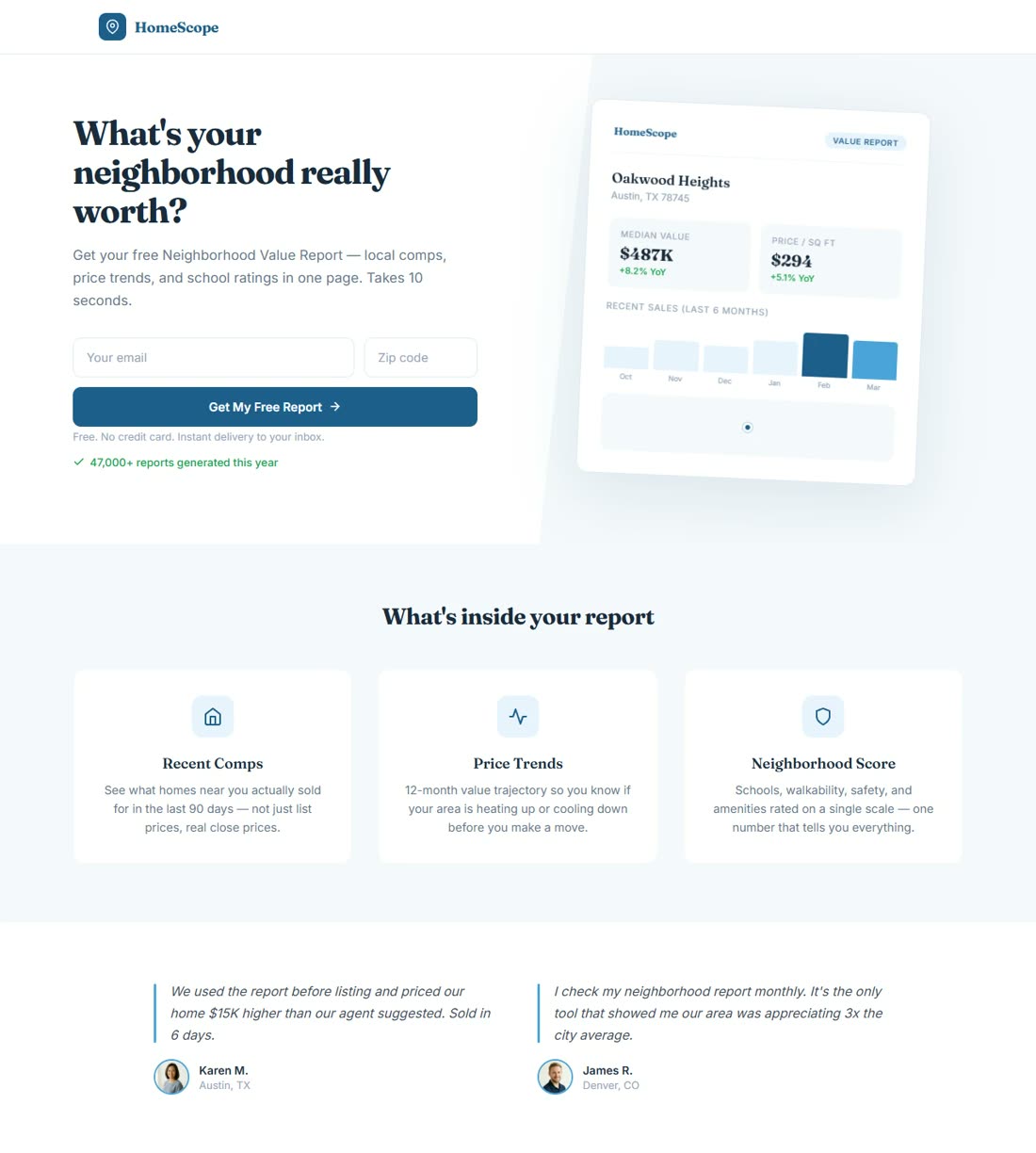
B2B Whitepaper

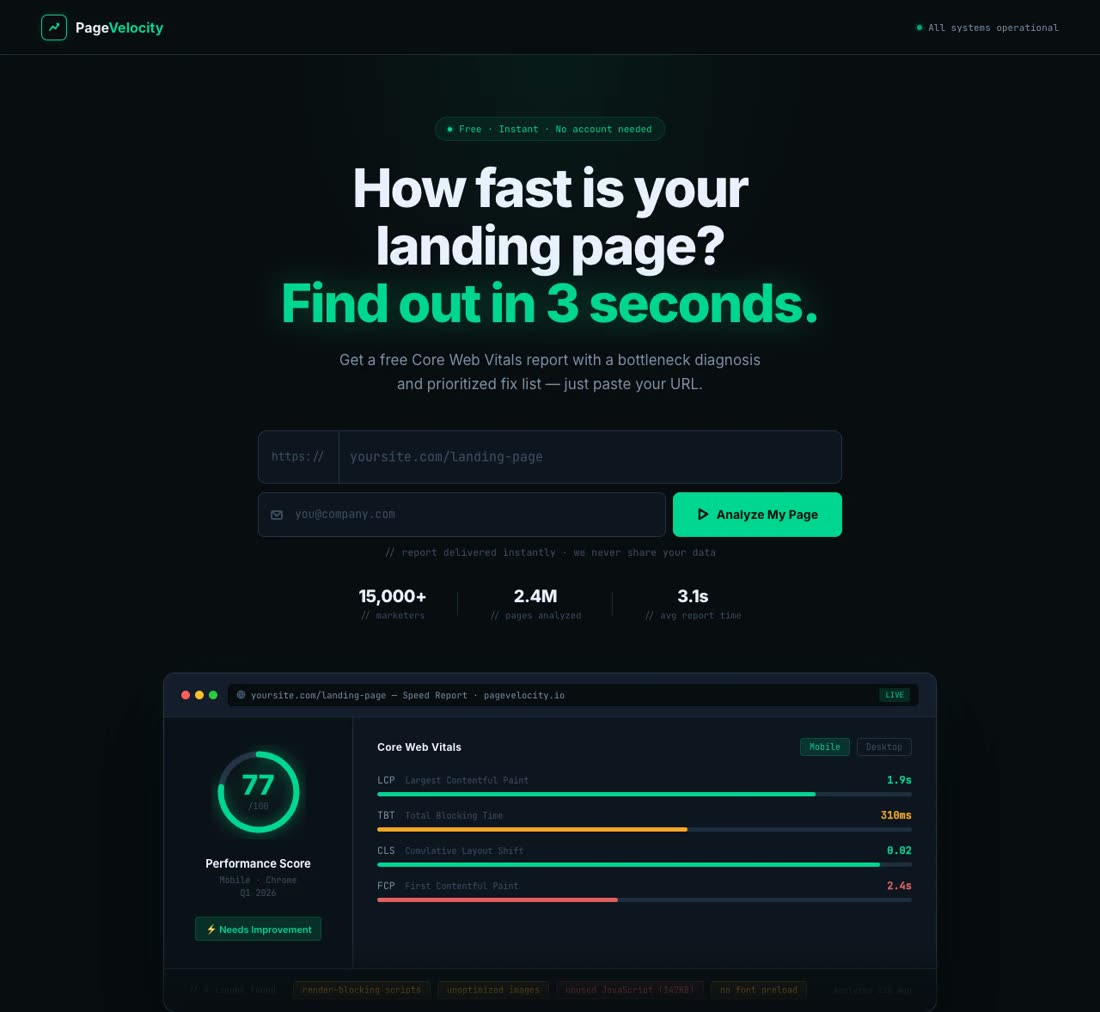
"The 2026 State of Product-Led Growth: 47 Benchmarks from 1,200 SaaS Companies. Gate with a 3-field form..."

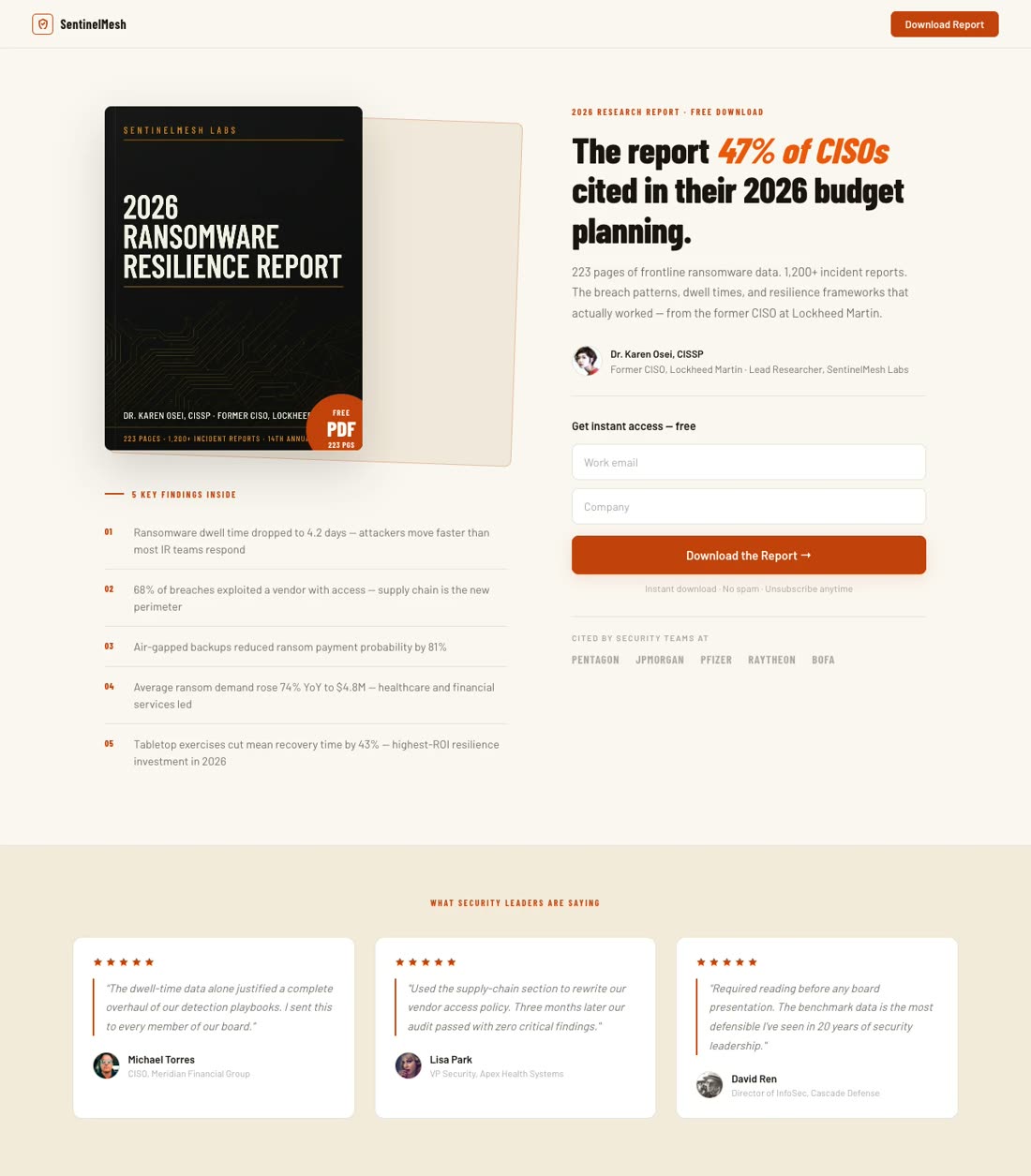
SaaS Category Report

Creator Guide

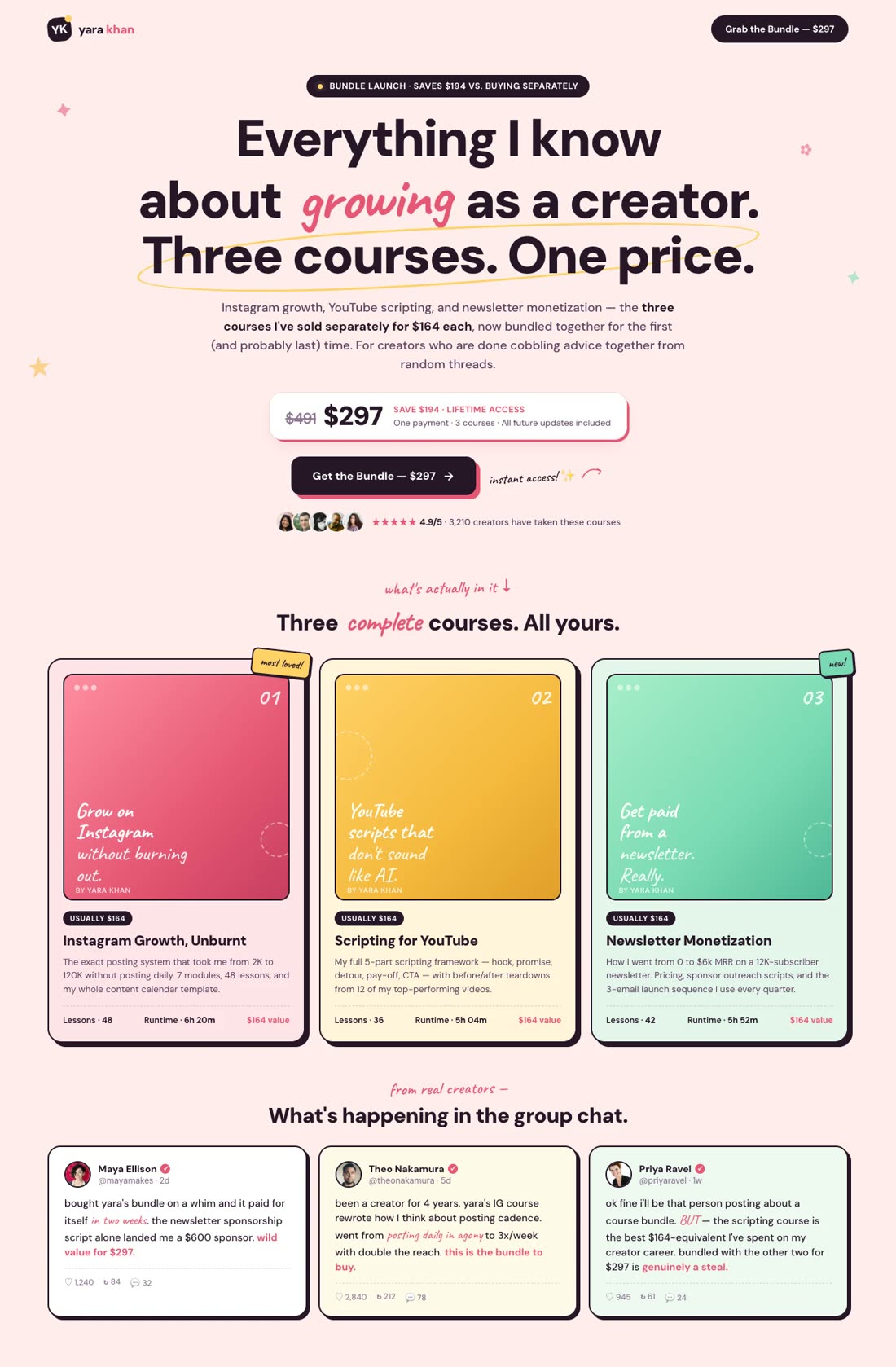
"Free ebook: The 12-Week Body Recomposition Playbook from a certified nutrition coach with 85K followers..."

Fitness Coach Lead Magnet

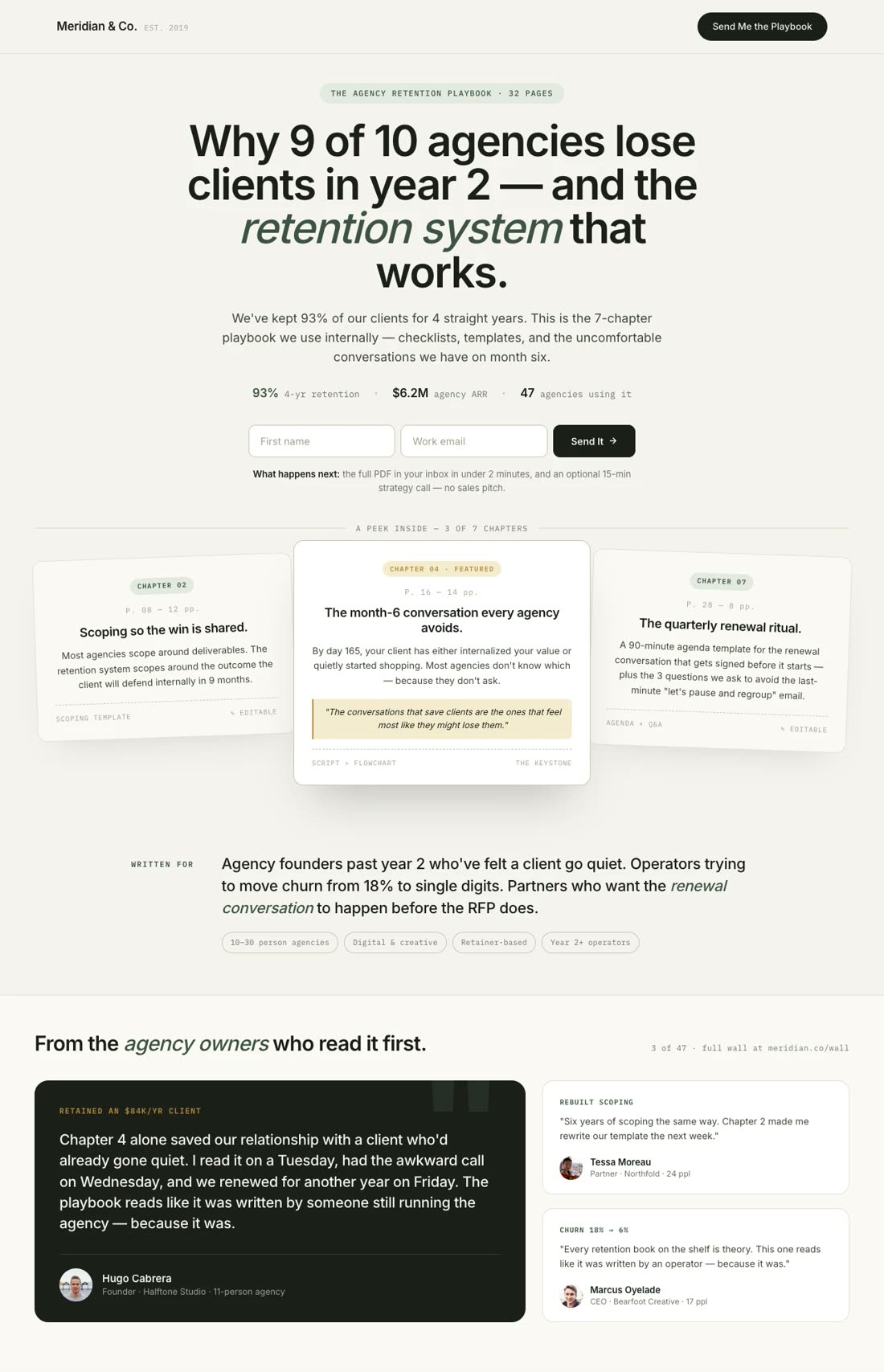
Agency Playbook

"The Agency Retention Playbook: How We Kept 93% of Clients for 4 Years. 32-page ebook, 2-field form..."

Digital Agency Playbook

Chapter Preview

"Offer the first 3 chapters free for a new business book: The Compound Company. Email + daily chapter drip..."

Book Launch Preview

Checklist

"The 10-Point Newsletter Launch Checklist — 1-page PDF from a newsletter operator with 50K subscribers..."

Newsletter Operator Checklist

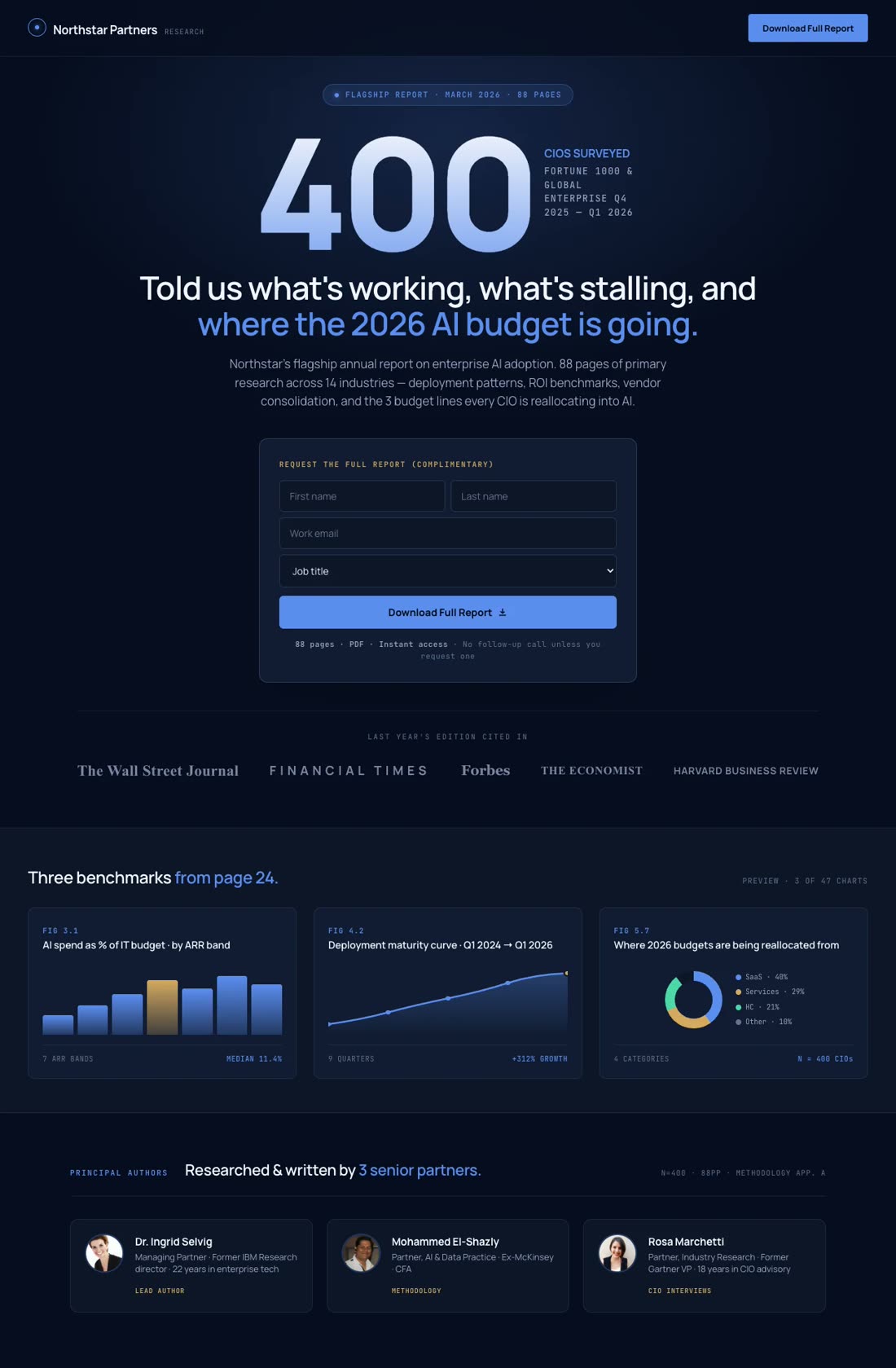
Industry Report

"Enterprise AI Adoption 2026 — 400 CIOs surveyed. 4-field form, press-logo row, premium enterprise design..."

Consulting Firm Report

Resource Hub

"Content Marketer's Starter Pack — 5 ebooks, 3 templates, 2 swipe files. All 10 downloads in one email..."

Multi-Download Bundle

Newsletter Bribe

"Subscribe and get the 47-page Growth Audit Framework free. Weekly newsletter + ebook subscription bribe..."

Newsletter Ebook Hybrid

Build Your Ebook Landing Page

No Credit Card Required | Try for Free

How It Works

How to create an ebook landing page

01

Define Your Ebook's Offer and Audience

Be specific. "A guide to SEO" is too broad. "The 14-tactic SEO checklist for solo founders launching their first SaaS" is a page. Know who it's for, what they'll learn, and why they can't get it anywhere else.

02

Gather the Assets the AI Needs

Ebook title, 2-sentence pitch, 4-6 "what's inside" bullets, a cover mockup, author bio and photo, 1-3 early-reader testimonials, and the destination for the lead (HubSpot, Mailchimp, ActiveCampaign).

03

Watch the AI Build Your Ebook Landing Page

The AI writes a benefit-driven headline, places the form above the fold, structures the "what's inside" block, adds credibility and testimonials, and wires the form to your email platform. Mobile-first — 82.9% of landing-page traffic is mobile.

04

Connect the Form, Test, and Publish

Wire the form to your CRM (HubSpot, Mailchimp, ActiveCampaign). Add GA4 and Meta CAPI tracking. A/B test form length first — cutting 4 fields to 3 lifts submissions ~50%. Publish on a global CDN.

Worth reading before you build

Why ebooks still beat almost every other lead magnet

important!

Ebooks are not dead. They are the single most-used lead magnet on the internet. 75% of marketers running opt-in forms use ebooks as their lead magnet of choice (HubSpot benchmark, reported in the 2026 state-of-landing-pages benchmark report). Not webinars. Not templates. Not calculators. Ebooks. And on HubSpot's own customer base, 55% of top-performing landing page submissions come from ebook offers — the highest share of any lead-magnet category.

The reason is structural. An ebook is the only lead magnet that scales to any funnel stage. Top-of-funnel audiences want a broad "state of the industry" report. Middle-of-funnel prospects want a tactical playbook. Bottom-of-funnel leads want a buyer's guide or RFP template. Same format, three different buyer intents, one producible asset. No other lead magnet stretches across the whole journey that cleanly.

But most ebook landing pages are built badly — usually a homepage with a form stuck on the side, or a 10-field form that asks for revenue and phone number before the prospect has decided they want the PDF, or a Notion page with no tracking and no A/B test. All three leak conversions. The fix is mechanical. Cutting a form from 4 fields to 3 lifts submissions roughly 50%, and pages with a single email field can convert nearly 3x higher than equivalent four-field forms (HubSpot / OptiMonk meta-analysis, 2026).

One primary CTA beats multiple competing links: pages with a single CTA convert at 13.5% vs. 10.5% for pages with five or more links (Involve.me, 2026). And email traffic converts at 19.3% — the highest of any channel, higher than Google Ads (10.9%), Facebook (13%), or display (4.1%) (Rudy's AI 2026 benchmarks). Which means the ebook landing page is not just a top-of-funnel lead collector. It is the highest-leverage asset in a content marketer's stack.

Speed compounds the effect. A 1-second delay in page load cuts conversions by 7%, and pages loading in 1 second convert 3x higher than pages loading in 5 seconds (Genesys Growth / Portent, 2026). 47% of users expect a page to load in 2 seconds or less. For an ebook page running paid traffic at $3+ CPC, every tenth of a second of load time is measurable margin.

For the full blueprint — hero, story, "what's inside," TOC, author credibility, reviews, FAQs, CTA — the Swipe Pages team wrote the definitive guide: How To Create A High-Converting Lead Magnet Landing Page. Paired with The Anatomy of a High-Converting Lead Generation Landing Page, it's the blueprint most teams never build to.

Features

Everything you need to turn an ebook into pipeline. Nothing you don't.

Create an ebook landing page for our 2026 PLG report

Any Ebook Page — One Prompt Away

Whitepaper gates, chapter previews, resource hubs, book-launch pages, newsletter-with-ebook hybrids, agency playbooks, industry reports — the AI builds any ebook landing page aligned to your brand in minutes.

Brand Match
Colors
Font Newsreader

Personalization at Scale

One ebook, ten audiences. Different headline, different testimonial, same PDF. Better message match, higher submissions.

Audit Complete

Idea: 72% drop off on company-size field — test removing it to lift submissions ~35%.

Apply
Dismiss

CRO AI Agent

Watches submissions, scroll depth, and form abandonment. Flags the fix before you notice the leak.

Competitor Search
G
G2 Reviews
S
SimilarWeb
Pricing Intel
$49 - $199

AI-Powered Research

Audience pain-point mining, proof-point extraction, outline scaffolding. The AI pulls what your ebook needs before you finish the outline.

Winner
14.2%
Variant A
vs
8.5%
Variant B

A/B Testing & Built-In Analytics

Test form length (3 vs 4 fields), headline framing, hero offer (PDF vs chapter preview), CTA copy. Server-side splits with statistical significance built in.

99

Blazing Fast

Sub-second loads on a global CDN. A 1-second delay costs 7% of conversions. Your ebook page loads before the thumb hits the form.

SP

CRM & Email Platform Integrations

HubSpot, Mailchimp, ActiveCampaign, Salesforce, ConvertKit, Zapier — the moment someone downloads, they're tagged, segmented, and dropped into the nurture. No manual export.

Startup
$29
Marketer
$69
/mo

Pricing Built for Content Teams

Start at $29/mo. No per-lead fees, no traffic caps. 50,000 ebook downloads cost the same as 500. A/B testing, analytics, integrations — all included.

Step 1 of 3
Email Only
Enrich Later

Smart Forms & Lead Qualification

Progressive profiling. Ask for email on step 1, company size on step 2 (after they've committed). Qualify without scaring off.

Social Proof

Trusted by 7,000+ teams worldwide

4.8
★★★★★
G2
4.9
★★★★★
Capterra
300+ reviews
Lead Magnets
★★★★★

"SwipePages makes it easy to go from idea to live landing page in under an hour. And now, for my lead magnets, I have a template I have customized for my brand and I can go from idea to leadgen landing page in 5-10 mins."

Bryan B.

Work Management Consultant · G2

Content Marketing
★★★★★

"Creating landing pages for events, whitepapers, webinars has never been faster."

Verified User

G2 Review

Lead Tracking
★★★★★

"It's been so helpful for me in building and hosting fast and beautiful landing pages. It's effortless to use and does a great job at tracking my leads."

Vivek G.

Co-Founder · G2

Speed
★★★★★

"The whole process of publishing a brand new landing page only takes 5-10 minutes top."

Kritcha B.

Owner · G2

Ease of Use
★★★★★

"From zero experience with landing page builders, I was able to create a completely working landing page using swipepages in less than a day!"

Peter L.

BDM · Capterra

A/B Testing
★★★★★

"I love the visual funnel builder, the page builder, the ability to easily add and manage global scripts and SEO metadata, and obviously the A/B testing feature."

Rick H.

Capterra

Campaign Fit
★★★★★

"For clients with regular business websites who want to make a new promo and generate more leads, we don't need to install a ton of plugins or make endless optimisations on main-websites. Because now we use Swipe Pages."

Daniel V.

Project Manager · G2

Mobile-Friendly
★★★★★

"Swipe Pages is the perfect landing page builder for any marketer looking to create optimized, mobile-friendly landing pages quickly. For us, this service saves a lot of time."

Vitali K.

CEO · G2

Agency Fit
★★★★★

"A wonderful tool to have in our collection as an agency."

Nebu K.

Marketing Consultant · Capterra + G2

FAQ

Frequently asked questions

Because the math punishes popups and rewards dedicated pages. Every step you add between a visitor and the ebook costs submissions — and a popup hidden on a blog post adds at least three: discover the popup, decide it's worth closing what they were reading, fill the form, wait for the email. Most visitors never make it past step one.

A dedicated ebook landing page collapses those steps into one. Land on the page, read the offer, submit the form. Every element on the page exists to drive that single action.

The benchmarks back this up. A page with a single primary CTA converts at 13.5% vs. 10.5% for pages with five or more links (Involve.me 2026 study). That gap is almost entirely focus. A blog post with a sidebar popup is a page with dozens of links — nav, related posts, author bio, comment section. An ebook landing page is a page with one link: the submit button. That's worth 3 percentage points of conversion rate before you've written a word of copy.

Dedicated pages also unlock channel flexibility. Paid search traffic needs a specific landing page — it's how Google Ads' Quality Score works, and it's how you avoid paying $4 a click to send someone to a cluttered blog. Cold email outreach needs a shareable URL, not a popup buried three scrolls deep. LinkedIn retargeting needs a destination that loads fast on mobile — 82.9% of landing-page traffic is mobile now. A dedicated page handles all three channels cleanly. A sidebar popup handles none.

The last argument is A/B testing. You cannot meaningfully A/B test a popup on a blog post — the traffic source is mixed, the intent is unclear, the sample sizes are tiny per article. A dedicated ebook landing page gives you clean traffic, clean intent, and enough volume to test form length, headline framing, and CTA copy one at a time until the page is optimized.

Every ebook landing page that converts shares the same 10 blocks, in roughly this order. Skip any of them and the page leaks.

Hero with a specific, benefit-driven headline. "Download Our Ebook" is not a headline — it is a label. "47 Benchmarks Your Board Will Ask About Next Quarter" is a headline. The headline answers "why should I read this?" in the first second.

Ebook cover or mockup. A visual of the PDF — on a tablet, on a phone, as a book cover — makes the offer real. Abstract words become a thing the reader can picture on their screen.

The form, above the fold. Don't make readers scroll to find it. And keep it short. Cutting a 4-field form to 3 fields lifts submissions ~50%; cutting 11 fields to 4 lifts submissions 120% (HubSpot, Landingi 2026). Email-only forms convert nearly 3x higher than four-field equivalents.

"What's Inside" bullets. 4–6 scannable bullets describing chapters or key takeaways. Not the table of contents copied verbatim — the benefit-translated version. "Chapter 3: Content Strategy" becomes "How to pick 3 content pillars that actually generate pipeline."

Author credibility. Headshot, name, 1–2 sentence bio, press logos if relevant. For B2B, LinkedIn link. For creators, social handles. The reader needs to answer "why should I trust this person's framework?" in 5 seconds.

Social proof. 1–3 testimonials from people who read an earlier version or applied the framework. Specific results beat "great ebook!" Video testimonials beat text. Real photos beat stock avatars.

Single, prominent CTA. "Send Me the Ebook" or "Download Free" — clear verb, clear outcome. Sticky on scroll. Button color contrasts with the page background. One CTA per page.

FAQ addressing friction. "Will I get spammed?" "What format is the PDF?" "Is it really free?" Every unanswered objection is a lost download.

Expectation setter below the form. What happens after submit? "You'll get the PDF in your inbox within 2 minutes. Plus a weekly email with one tactic (unsubscribe anytime)." Transparency converts.

For a chapter-by-chapter walkthrough, the Swipe Pages blog has the definitive guide to building this exact anatomy — worth reading before you publish.

The best ebook landing pages all follow the same seven rules — and the teams that ignore any one of them leak 20–40% of their possible submissions.

Keep the form to 3 fields or fewer. Email-only if the downstream nurture sequence can enrich from the email. Three fields (name, email, company) if you need lead scoring. Four fields is the ceiling — anything more and you're trading submissions for unused data points. Cutting a 4-field form to 3 lifts submissions ~50% (Landingi, 2026).

One CTA. Everywhere. Above the fold, middle of the page, bottom of the page — same button text, same button color. Do not add "Watch a Video" or "Read Sample Chapter" as competing buttons. Pages with a single primary CTA convert at 13.5% vs. 10.5% for pages with 5+ links (Involve.me, 2026).

Optimize the load time ruthlessly. 47% of users expect a page to load in 2 seconds or less. A 1-second delay costs 7% of conversions. Pages loading in 1 second convert 3x higher than pages loading in 5 seconds (Portent / Genesys Growth, 2026). Compress the cover image, lazy-load the testimonial photos, use a CDN. On an ebook page running paid traffic, load time is conversion rate.

Match the ad to the page. The headline on your LinkedIn ad, your Google Ad, and your ebook landing page must be the same headline. Message-match builds instant trust. Message-mismatch spikes bounce rate above 60%.

Design mobile-first, desktop-second. 82.9% of landing-page traffic is mobile. The form, the headline, and the CTA all need to work thumb-first on a 375px viewport. Test on a real phone — not a browser dev-tools preview.

Include 1–3 real testimonials with photos. Testimonials increase conversions by 34% (Keywords Everywhere, 2026). The lift is bigger when the testimonial is specific: "Applied chapter 3, added $40K to our pipeline in Q3" beats "Great ebook."

Drive the right traffic. Email converts at 19.3% — nearly 2x Facebook (13%) and nearly 5x display (4.1%) (Rudy's AI / Unbounce, 2026). Prioritize promoting your ebook to your existing email list, guest newsletter placements, and LinkedIn organic before spending heavily on paid traffic to a cold audience.

Submission rate is the only number that matters. Everything else is a diagnostic.

Primary KPI: submission rate. Submissions divided by unique visitors. Benchmarks vary by traffic source: email traffic converts around 19.3%, Google Ads around 10.9%, Facebook around 13%, display around 4.1% (2026 channel-conversion benchmarks via Rudy's AI). Your specific benchmark depends on your audience temperature — warm retargeting converts higher than cold display, and a B2B whitepaper to a VP-level audience converts differently than a fitness ebook to a cold Instagram audience.

Secondary KPIs: Cost per lead (for B2B SaaS lead magnets, $20–$60 per lead is a workable range; for consumer ebooks, $1–$8). Form abandonment rate — over 30% signals form friction, usually a field that feels intrusive. Scroll depth to CTA — if fewer than 70% reach the primary CTA, the above-the-fold block is failing. Download-to-MQL rate — below 5% on a B2B ebook usually means the offer is attracting the wrong audience. Lead-to-customer rate on the nurture — the ebook is not the conversion; the email sequence that follows is.

What to A/B test, in order of impact:

1. Form length. Always start here. 3 fields vs. 4. Email-only vs. 3-field. The biggest and most predictable lift. Expect +30–120%.

2. Headline framing. Benefit ("47 benchmarks to steal from") vs. authority ("Based on 1,200 surveyed companies") vs. curiosity ("The one metric 87% of teams get wrong").

3. Hero offer format. Full PDF download vs. first-3-chapters preview vs. chapter-a-day email sequence.

4. CTA copy. "Download Free" vs. "Send Me the Ebook" vs. "Get Instant Access."

5. Social proof placement. Above the form, below the form, or as a sticky sidebar.

Essential analytics setup: GA4 with the form submit tracked as a conversion. UTM parameters on every paid campaign (source, medium, campaign, content). Meta Conversions API and LinkedIn Insight Tag for B2B retargeting. A CRM integration (HubSpot, Salesforce, ActiveCampaign) so every download is attributed end-to-end.

Ebook pages live or die on a short list of variables: form friction, load time, mobile responsiveness, A/B testing cadence, CRM integration. Swipe Pages is built around those variables.

An AI that builds the whole page from an ebook brief. Describe your ebook — topic, audience, chapters, author — and the AI drafts a benefit-driven headline, places the form above the fold, structures the "what's inside" block, wires the credibility section, and generates a sticky mobile CTA. A page that would take an agency a week takes 15 minutes. Then iterate.

Every ebook page type, one prompt away. Whitepaper gates. Chapter previews. Book-launch pages. Resource hubs. Newsletter-with-ebook hybrids. Agency playbooks. Industry reports. You don't need a different builder for each format. One prompt, any ebook page.

Multi-step and progressive forms for lead qualification. Ask for email on step 1. Ask for company size on step 2, after they've committed. Ask for role on step 3. Progressive forms let you qualify B2B leads without scaring off the 40% who would have bounced on a 5-field form.

Integrations that matter for content teams. HubSpot, Mailchimp, ActiveCampaign, ConvertKit, Salesforce, Zapier. The moment a reader submits, they're tagged, segmented, and dropped into the nurture sequence. No CSV export. No 24-hour sync delay.

A/B testing built in, server-side, no flicker. Test form length in week 1. Test headline framing in week 2. Test hero offer in week 3. Every test runs with statistical significance baked in.

CRO AI agent watching the page after launch. Flags patterns humans miss. "72% drop off on the company-size field — test removing." "Mobile submissions are half of desktop — test a thumb-first form." An always-on CRO analyst that never sleeps.

Sub-second load times, globally. Global CDN. A 1-second delay cuts conversions 7%. Swipe Pages pages load in under 500ms on mobile and desktop. The difference is measurable — especially when you're paying $3+ per click to drive the traffic.

Pricing that doesn't punish growth. Start at $29/mo. No per-lead fees. No traffic caps. Host 50,000 ebook downloads for the same price as 500. A/B testing, analytics, all integrations — included.

7,000+ customers, 300+ reviews at 4.8–4.9 average, 14-day free trial, no credit card required. For content marketers and B2B teams whose ebooks need to generate pipeline — not just page views — this is the builder.

Start building your ebook landing page

Go from ebook draft to live download page in minutes. Short forms, fast loads, CRM-integrated. 14-day free trial, no credit card required.

No credit card required · Instant setup